 Orange Marketing
%20(35).png)
It's a relatively quiet week for HubSpot product updates, especially compared to the major announcements we've seen recently. One of the biggest developments, Connected CPQ, Billing, and Payments, moved into public beta this week, but since this was covered in last week's post, we won't rehash it again here. Instead, today's update focuses on incremental improvements that make HubSpot easier to use day-to-day, including new guided options for building formulas in custom reports.
Here's what's new for the week of June 22, 2026:
- New Formula Options in Custom Report Builder: Conditional Logic and Summary Measure.
New Formula Options in Custom Report Builder: Conditional Logic and Summary Measure
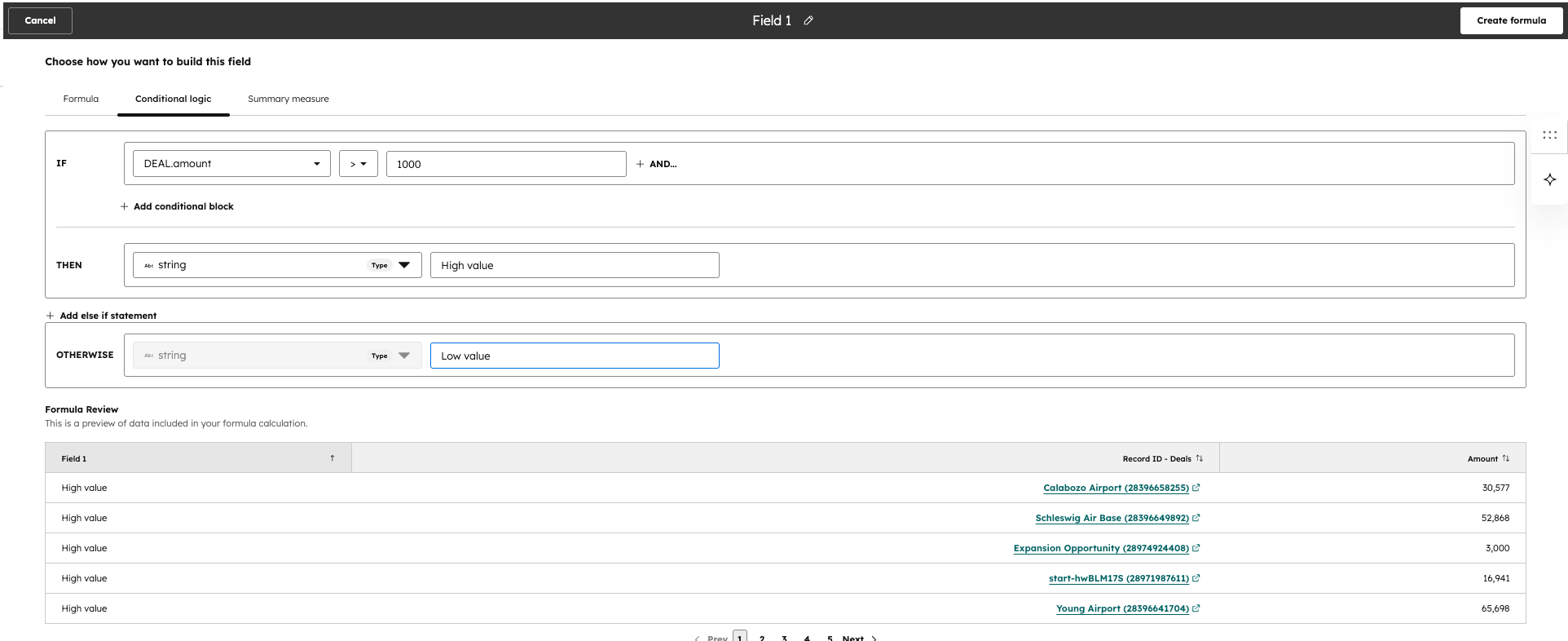
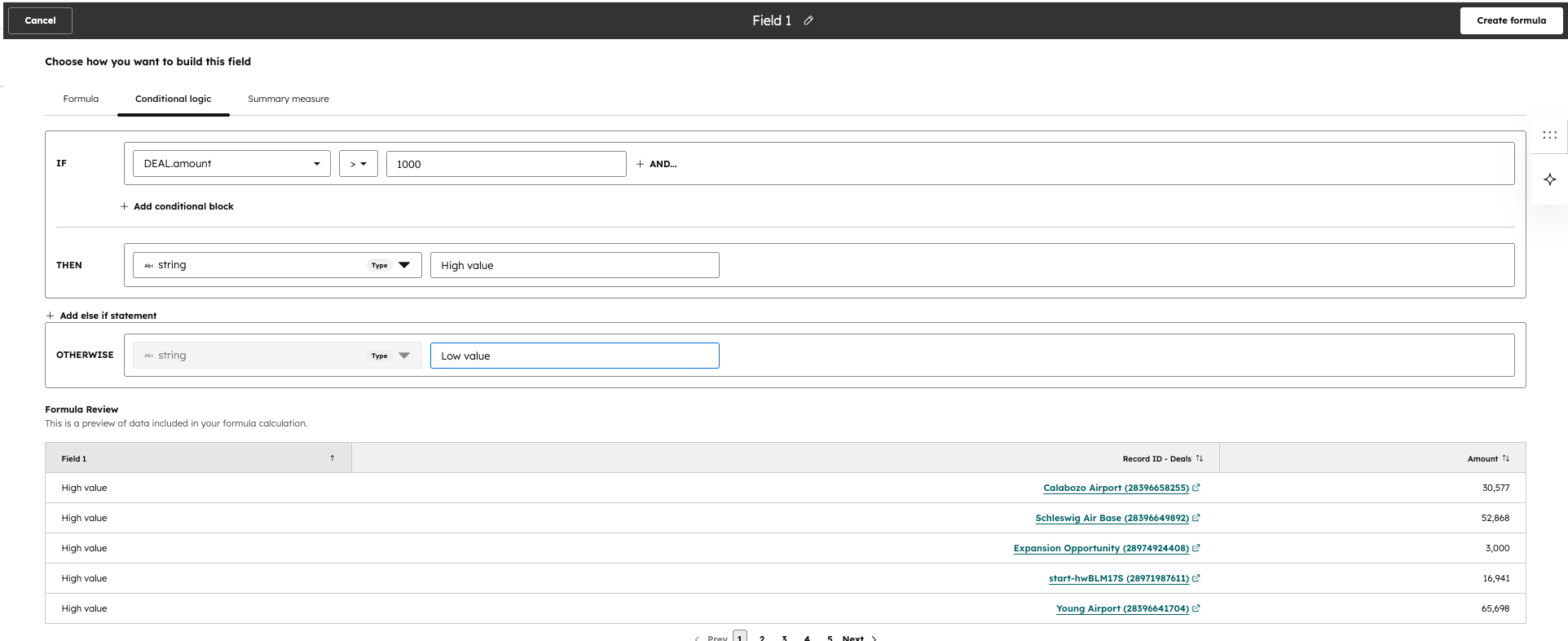
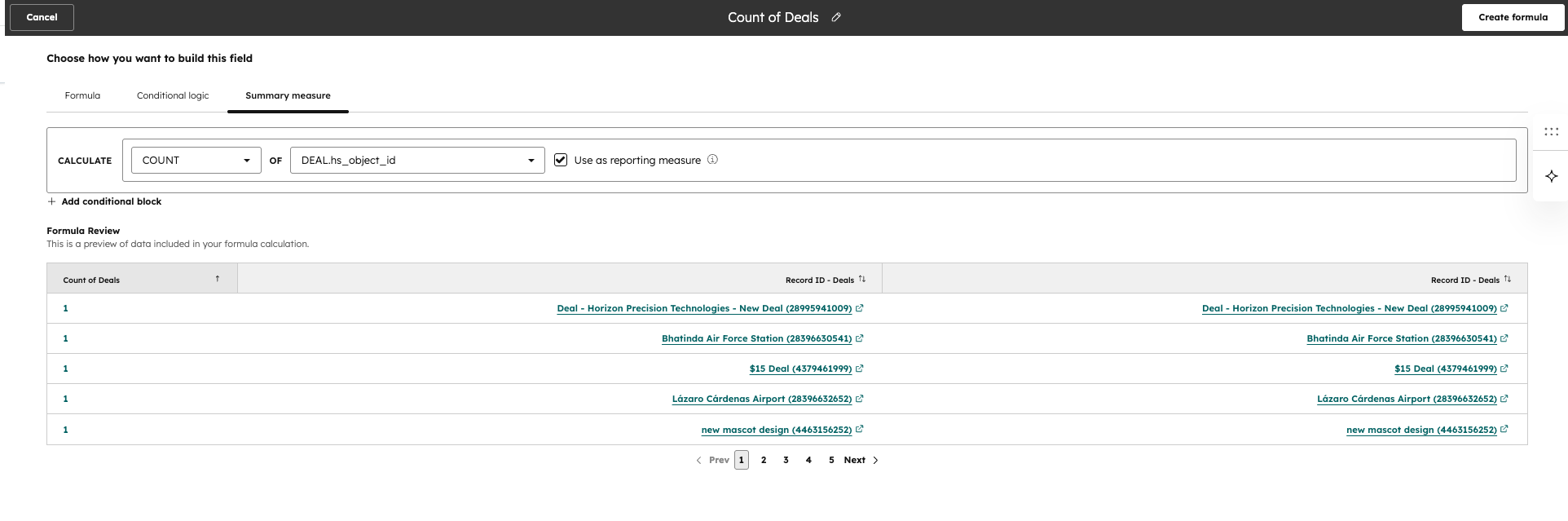
In the custom report builder when you create formulas, in addition to the existing way of writing formulas which results in a syntax, you also have 2 other more basic ways to create a formula now:
Conditional Logic --> This is great for If/Else cases providing a guided interface to creating formulas
- Summary Measure --> Can create an aggregation on a measure simply through the guided interface
Why does it matter?
If their is trouble creating a formula using the syntax or AI approach, you can use this more basic and guided approach for creating some of the formulas you need in reporting
How does it work?
- Go to the custom report builder
- Click "Add+ " in the Formulas section at the bottom of the chart configure section
Make the Most of Your HubSpot Investment
HubSpot continues to evolve at a rapid pace, and staying on top of new features is key to maximizing your results. Whether you're just getting started with HubSpot or looking to optimize your existing portal, Orange Marketing can help you implement best practices, streamline your processes, and take advantage of the latest platform enhancements.
Ready to get more from HubSpot? Explore our HubSpot onboarding and implementation services to see how we can help.
