Orange Marketing
Let's dive into this week’s top HubSpot updates as nominated by our team: there’s a refreshed Help Desk reply editor rolling out, new filtering options that make it easier to identify records without associations, and an update that helps Customer Agent pass verified customer information to connected systems. Plus, enhancements to goal creation and editing, including new Breeze Assistant capabilities, make it easier to set targets and track progress.
Here are our favorite for the week of November 2, 2026:
- [Opt-in] New Help Desk Composer Experience,
- Filter by Records Without Associations in Segments,
- Customer Agent actions now automatically include the visitor's verified email in API requests, and
- Goal Creation & Edit Enhancements.
[Opt-in] New Help Desk Composer Experience
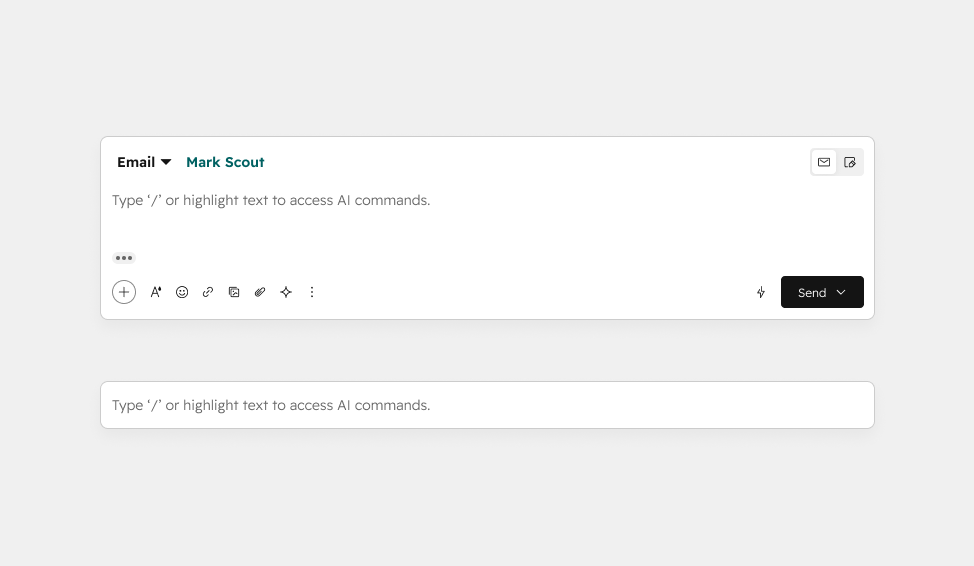
Support reps in help desk now have access to a streamlined, modern reply editor with a refreshed layout, less clutter, and advanced formatting options.
Reps working in help desk struggle with visual clutter, inefficient layout, and missing features in the current composer. This leads to slower workflows and cognitive fatigue. This update reduces friction, speeds up responses, and improves rep efficiency.
How does it work?
The help desk reply editor is getting a visual refresh focused on reducing clutter, improving usability, and creating a clearer, more streamlined experience.
Opting Into or Out of the Changes Until 11/3
Until Nov 3, we are in an opt-in period. Users can opt-in to the new experience by clicking the "Beta" button that appears in the lower left corner when viewing a ticket in help desk. Super Admins can also opt all users in and out via the "Beta" button in help desk (note that once you opt out all users, they will not be able to opt themselves back in). The "leave beta" button in the Product Updates page will not be available; you must opt your portal out via the button in help desk.
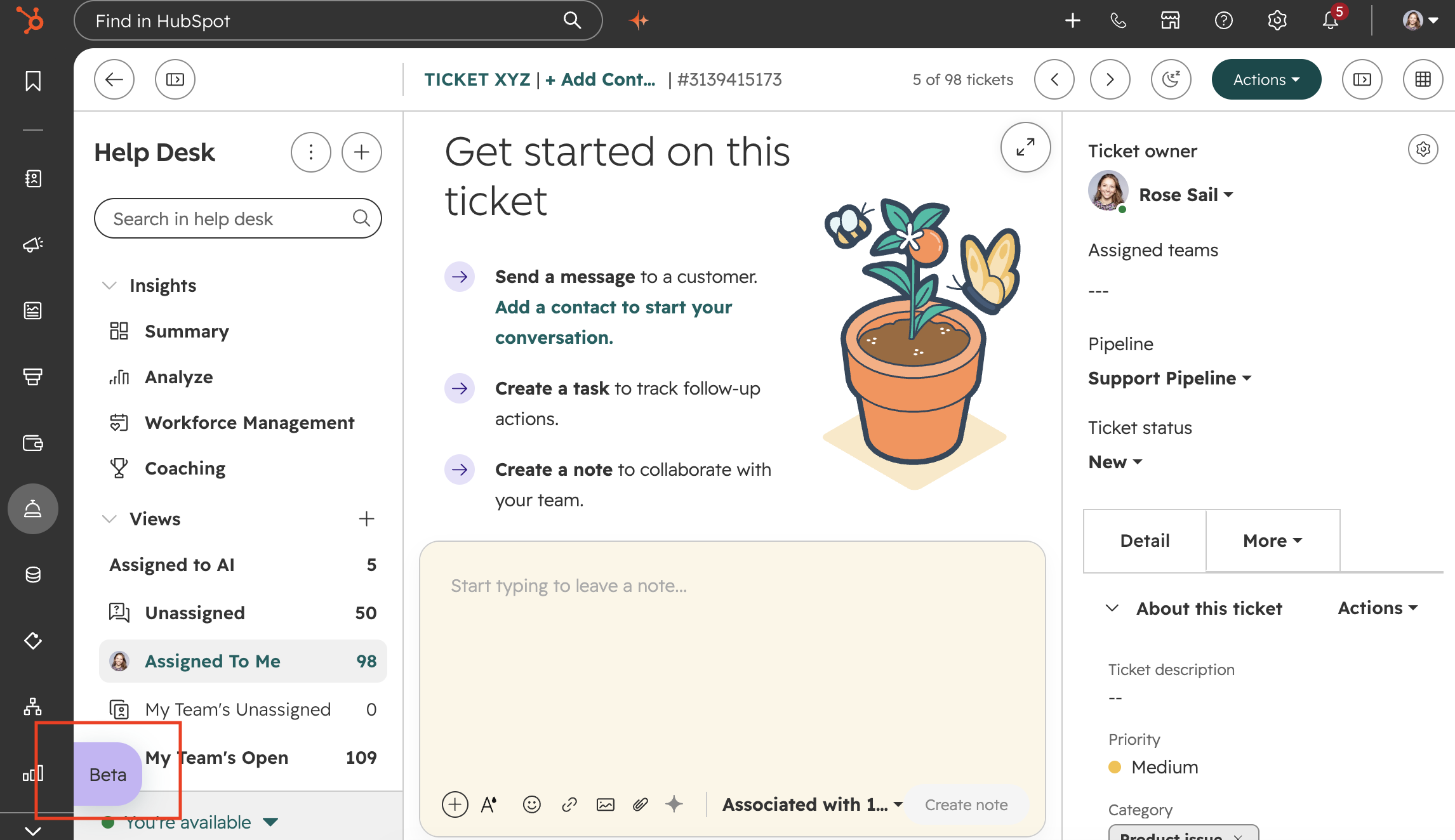
The new composer will be released to all on 11/3, after which point the opt-out button will be removed and users will no longer be able to opt out.
Key Updates
New functionality
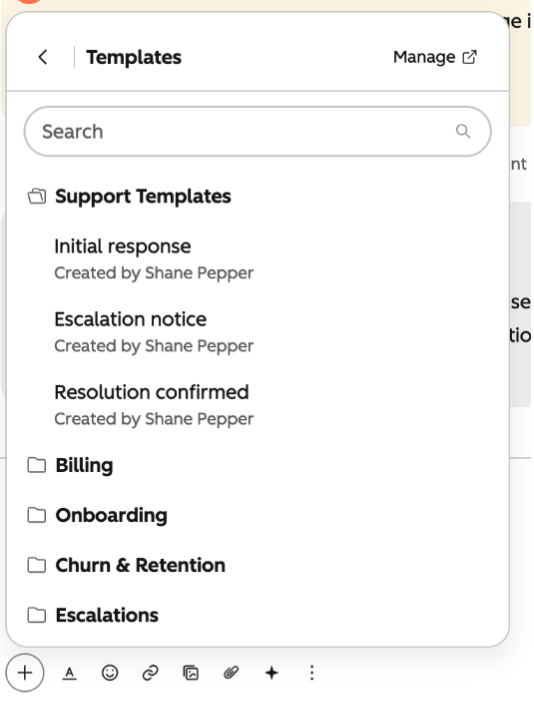
- Folder support for snippets and templates: if you organize your snippets and templates in folders, those folders will be available in help desk.
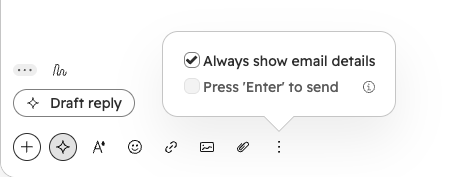
- "Enter to send" control for live chat: individual users can select whether or not hitting "enter" sends a live chat message. (Note: selecting this only changes the behavior for you, not for any other users in the portal.)
- @mention support: @-mentioning a contact in the body of your email automatically adds them as a recipient (email only).
- A new rich text editor with advanced formatting options:
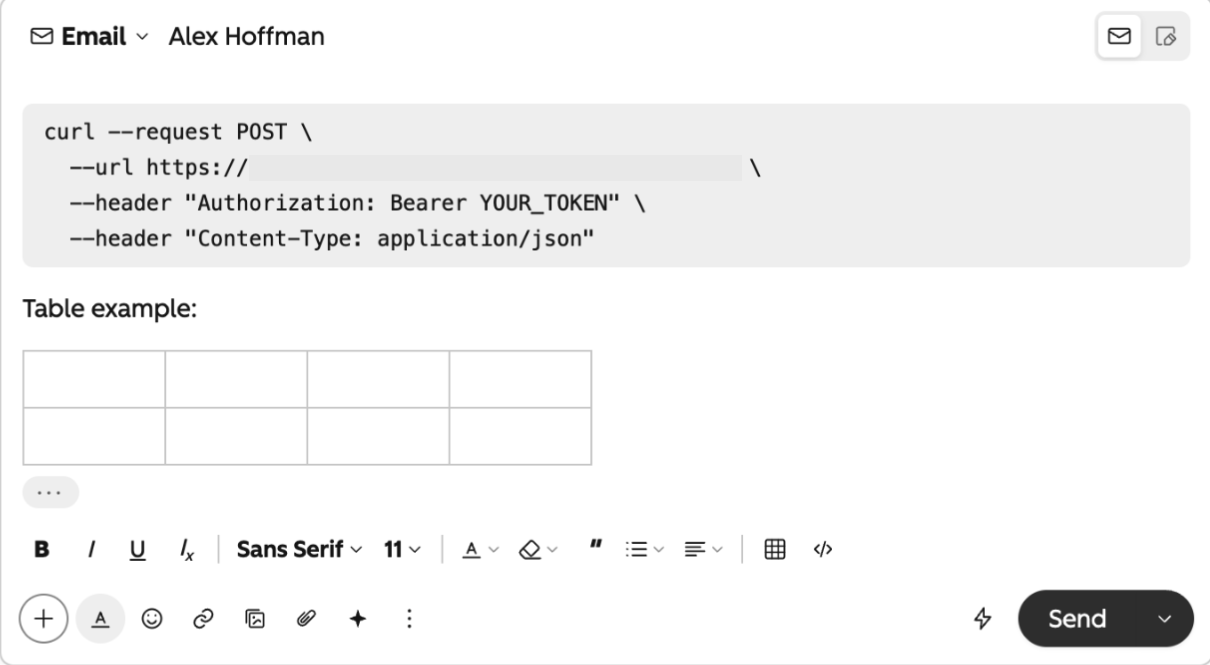
- Markdown and Codeblocks: the reply editor now supports codeblocks. Select the </> icon in the text formatting tray or type three backticks (``) to create a code block with monospace font. You can also type backticks around a section of text to convert it to monospace code font. You can also copy and paste text formatted in markdown.
- Tables: to create a table in the reply editor, select the "Insert" (+) option and choose "Table" at the bottom of the menu. You can also copy and paste text formatted as a table.
- Drag and drop email recipients: users can now drag and drop recipients between to "to," "cc" and "bcc" fields rather than having to copy/paste or type them out manually.
- Persistently display email details: users can choose to have the email details section of the reply editor display constantly (to/from fields, subject line). This is a user-specific settings that only applies to the email channel, and can be enabled from the toolbar.
A redesigned experience:
- A new reply > note switching icon, with your most recent selection remembered on return to a ticket.
- Streamlined controls for inserting content, formatting text, and managing attachments.
- Updated editor actions and icons.
- Improved recipient detail experience that makes it easier to know who's part of the conversation.
Filter by Records Without Associations in Segments
You can now filter segments for records that don’t have a given association, or don’t have a specific association label. For example, they can filter for companies with no associated deal, or companies with no associated deal carrying a specific label.
Today, you can filter for records that have an association, but not for records that don’t. To work around this, you have to build an extra segment, report, or calculated property, which adds technical debt and leads to many segments that reference other segments and are hard to manage. Now you can exclude those records directly in the segment filter.
How does it work?
Select an association in the filter editor. Optionally, you can narrow it to a label, and choose the “has no associated” operator. The filter will return records with no associated record of that object type (or label), such as “Companies that have no associated Deals” or “Contacts that have no associated Company with the label Billing.”
Note: Once “has no associated” is selected, users can’t add further conditions, and applies only at the associated-object level.
Customer Agent actions now automatically include the visitor's verified email in API requests
Customer agent now adds the visitor’s verified email to outgoing API requests for actions that have email protection turned on.
Actions that call your APIs need a reliable way to identify the visitor. Customer agent now sends the verified email with each eligible request, so you no longer have to ask visitors for it or build custom middleware to pass it along. Your systems can use the email as a lookup key and return the right visitor’s data, such as order details.
How does it work?
- This applies to actions with a protection level of Match email or Verify email. Actions set to None don’t change.
- After a visitor is verified, customer agent sends their email in the
hs_identified_emailparameter of outgoing API requests. For example:https://api.example.com/orders?hs_identified_email=jane@example.com. - If an action already has a parameter named
hs_identified_email, customer agent doesn’t add its own value. - No setup is required. Your API needs to accept or ignore the
hs_identified_emailparameter.
Goal Creation & Edit Enhancements
A streamlined experience for creating and managing goals, featuring an upgraded creation flow, an optimized goal targets table, and intuitive bulk actions.
Previously, managing and editing goal targets was a confusing and inefficient experience for users. The process was frequently hindered by unclear action triggers, disorienting navigation paths, and redundant options that cluttered the workflow and increased the likelihood of friction.
To address these pain points, this update introduces a streamlined workflow that makes setting and tracking goals significantly easier. By eliminating redundancies and reducing user errors, the refreshed interface aligns seamlessly with platform standards to deliver a highly intuitive and cohesive user experience.
How does it work?
Manage Goals with Breeze Assistant
- Create team goals in Breeze Assistant. Describe the revenue, deal, call, or meeting goals you want to set, and Breeze Assistant can help create them for your team.
- Get a data-informed starting point. Breeze Assistant can suggest goal targets using your existing goals and performance data, so you can review proposed targets instead of starting from scratch.
- Modify existing goal targets. Ask Breeze Assistant to adjust targets as your plans or team needs change.
- Get suggestions for what to do next. Ask Breeze Assistant for recommended actions to help you make progress toward your targets.
Goal Creation Updates
- Name Validation: Enforces unique goal names automatically.
- Clearer Categorization: Splits "Team" and "Team + User Goals" into distinct, standalone options.
- Data Retention: Preserves entered target data if a user navigates backward after encountering an error.
- Smarter Routing: Automatically takes users to the Goals Overview tab (pre-filtered by the new goal name) upon saving.
Goal Edit Updates
- UI Consistency: The edit layout and width now perfectly match the creation flow.
- Sticky Values: Assignee target values are safely preserved when updating teams or users.
- Bulk Addition: Multiple assignees can now be added simultaneously.
Table Changes
- Decluttered View: Removed the individual "Actions" column.
- Contextual Controls: Bulk action options now dynamically appear above the table header only when rows are selected.
Get More From HubSpot With the Right Setup
HubSpot continues to introduce new features that make it easier to manage data, automate processes, and improve how teams work. But taking full advantage of those capabilities starts with a portal that's set up correctly for your business.
Whether you're new to HubSpot, migrating from another platform, or looking to improve your existing setup, Orange Marketing's HubSpot Onboarding and Implementation Services help you build a strong foundation for long-term success.
See how Orange Marketing can help you get HubSpot set up, customized, and working for your team.