 Orange Marketing
%20(30).png)
This week’s HubSpot updates highlight two areas teams care deeply about: creating better content faster and keeping CRM data clean as systems scale. From major improvements to AI-generated imagery powered by OpenAI’s latest model to easier property management for growing databases, these updates are designed to make everyday marketing and operations work more efficient, and a lot less frustrating.
Here are our favorite updates for the week of May 18, 2026:
- GPT Image 2.0 for AI Image Generation, and
- Archive Property Options.
GPT Image 2.0 for AI Image Generation
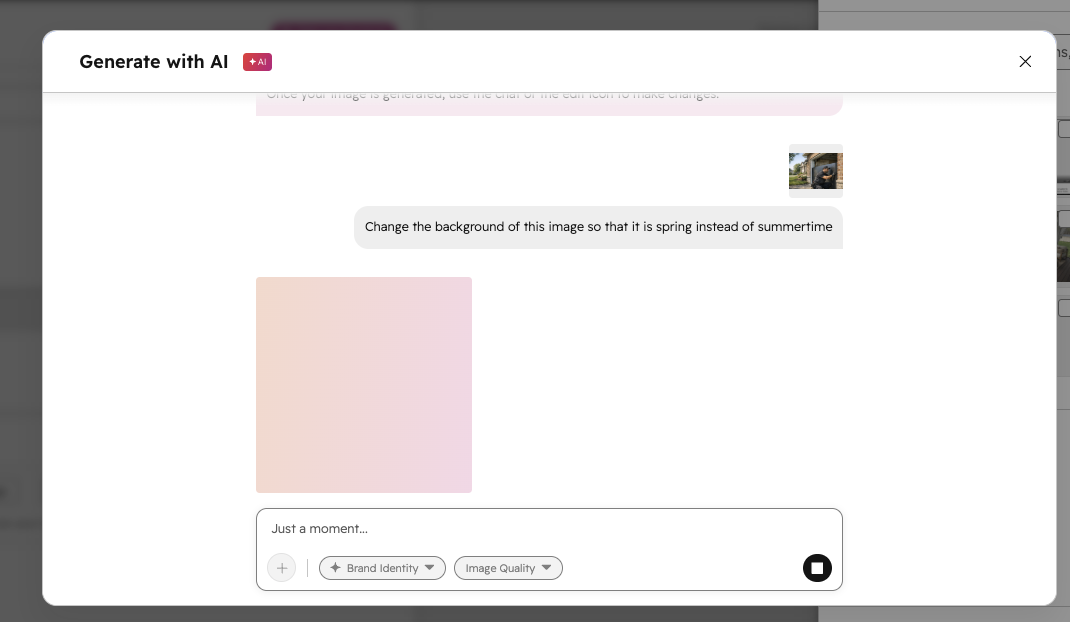
HubSpot's new conversational AI Image Generation tool in the file picker now runs on GPT Image 2.0, OpenAI's latest image generation model. The upgrade brings noticeably better output quality, including more accurate text rendering within images, multilingual support, and better prompt adherence.
Read OpenAI's announcement here.
Why does it matter?
One of the most common frustrations with AI image generation is accuracy: prompts that get ignored, text that renders as garbled characters, or edits that warp the original image in unexpected ways. GPT Image 2 addresses these directly: it follows instructions more precisely, renders readable text inside images, and preserves visual details (like facial likeness) when making edits rather than regenerating from scratch.
How does it work?
- Open any content editor or asset manager in HubSpot that uses the file picker. For example, from the social composer, click Add image from the Add media area, then click Generate image at the bottom of the file picker.
- Type a text prompt describing the image you want.
- You can optionally click the + icon to generate an image based on a reference image, or make edits to an existing image with AI.
- You can also adjust output quality and turn on Brand identity to generate images that better match your brand colors and personality.
- When you generate an image, HubSpot will automatically use GPT Image 2.0.
Archive Property Options
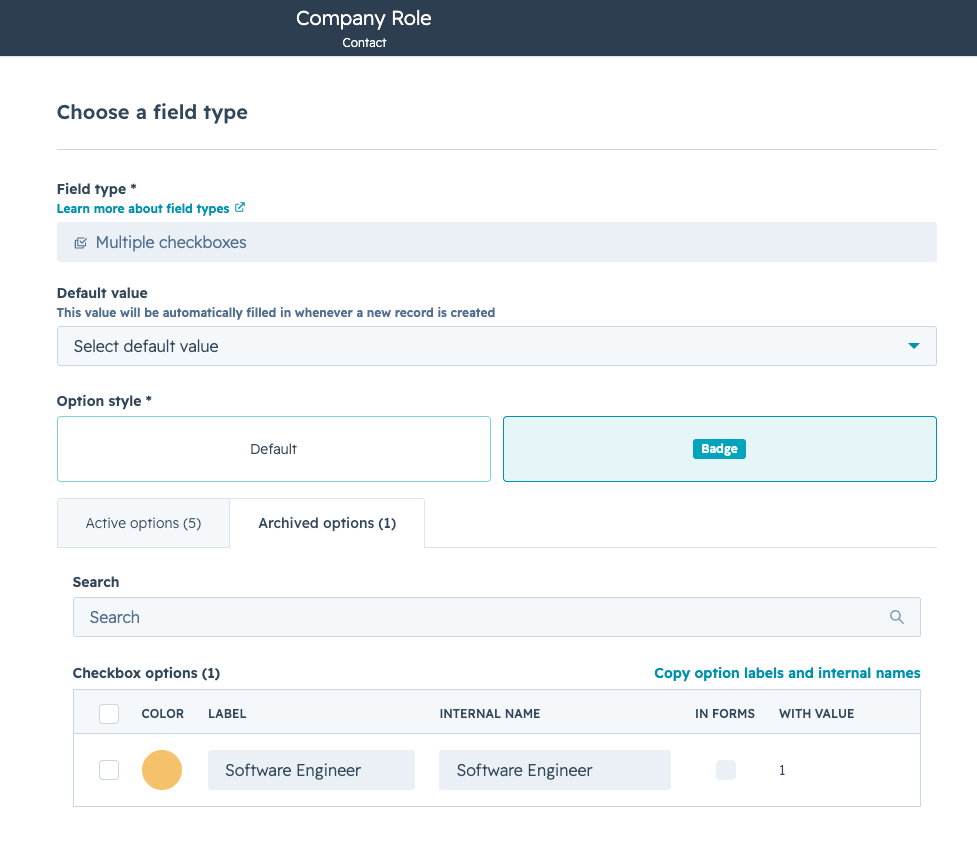
You can now hide individual options on enumeration properties (dropdowns, checkbox lists, and radio selects) so they're no longer available for selection, while keeping any existing records intact.
Why does it matter?
Over time, property options go stale, and there's been no clean way to retire them. This gives you a scalable solution. A few ways to use it:
- Admins can hide deprecated options without renaming them "Do not use" as a workaround.
- RevOps teams can clean up cluttered drop-downs before a CRM audit, removing outdated options without touching historical records.
- Operations managers can standardize data entry across their team by hiding options that are no longer valid, reducing inconsistent values going forward.
How does it work?
Admins can hide property options directly in Property settings.
- Go to Properties in your account settings.
- Select a property with options (drop-down, checkbox, or radio select).
- In the property editor, toggle off any options you want to hide.
Once hidden:
- Hidden options disappear from selection across HubSpot immediately.
- Records that already use a hidden option will continue to display it, but if a user updates that field, they won't be able to reselect the hidden value.
Limitations
- User and pipeline stage properties are not supported for archiving options.
Watch the Recording: AEO Playbook & HubSpot Prompt Demo
AI-powered discovery influences how buyers research solutions, compare vendors, and form opinions before they ever visit your website or talk to a sales person. The brands that understand how they appear in AI-generated answers will have a major advantage moving forward.
If you missed our recent session, you can still watch the full recording and learn what you need to do differently to show up in ChatGPT, Gemini, Claude, and the rest. Watch the recording to learn more!
