Orange Marketing
%20(23).png)
Automation continues to be the name of the game in HubSpot, and this week’s updates take it a step further by reducing manual work and strengthening how your data connects across the CRM.
From automatically generating quotes at the right moment in your pipeline to building smarter relationships between records, these enhancements are all about helping teams move faster while keeping data accurate and aligned.
Here are our top updates for the week of March 30, 2026.
- Use Workflows to Create a Quote, and
- Create Associations Between Records Based on Existing Associations.
Use Workflows to Create a Quote
Customers can automatically create a quote or renewal quote in draft status using a workflow action triggered by defined criteria. This action is configured within the workflow app and is available exclusively for Commerce Hub Quotes.
- Available for Commerce Hub Pro+
- Renewal Quotes Action is only available in the Contracts Private Beta
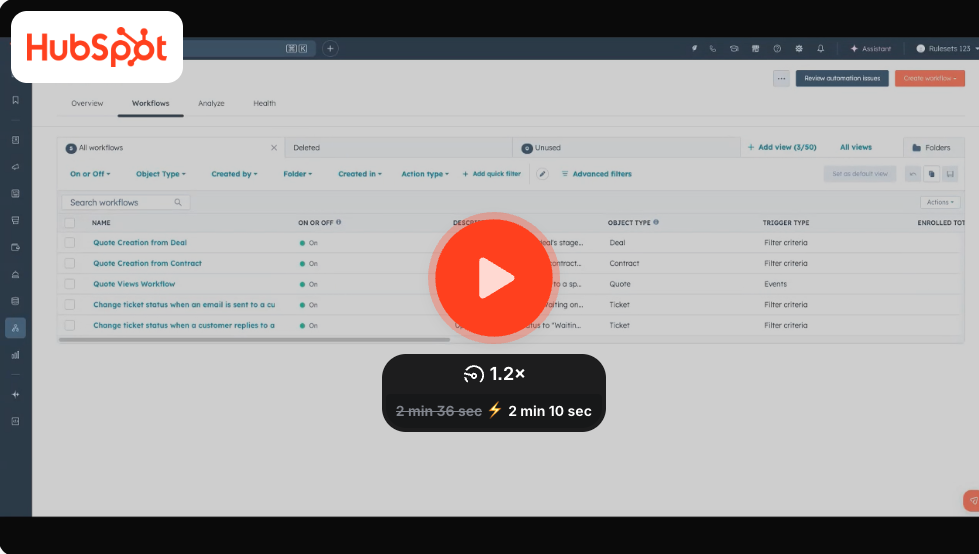
Create Quote Action in Workflows
Creating Renewal Quotes Action in Workflows
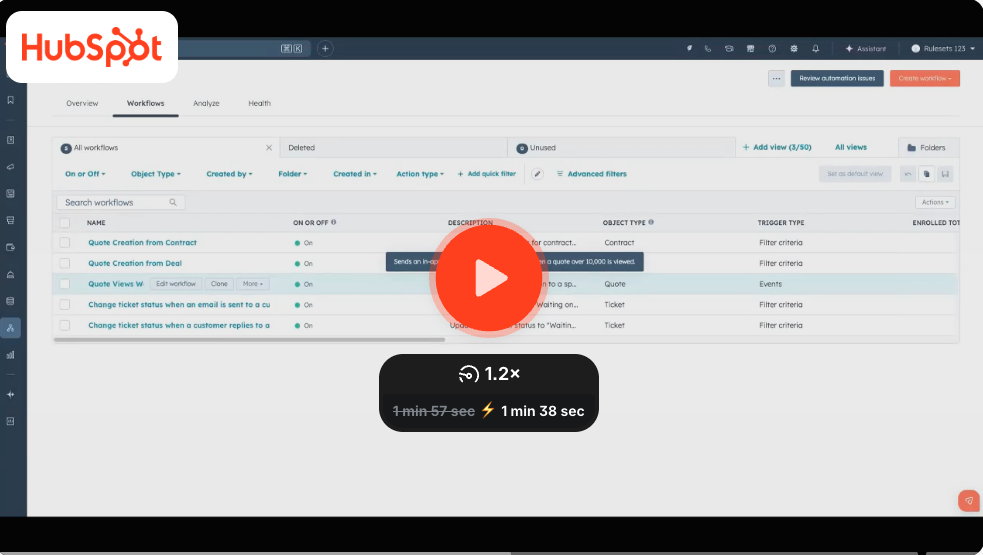
This improves efficiency by automatically generating a draft quote using a specific quote template, so reps do not need to remember to create quotes manually.
How does it work?
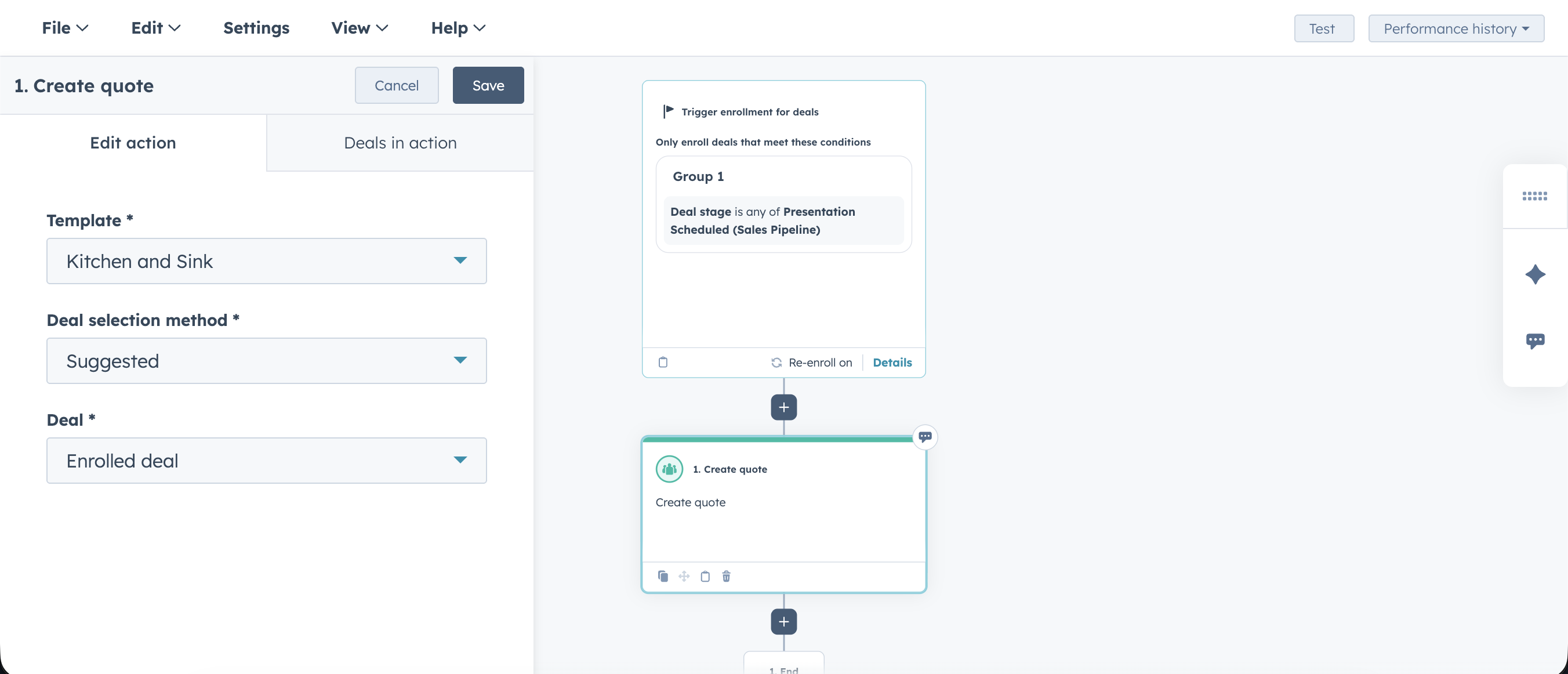
Create Quote Workflow Action
Navigate to Automation --> Workflows
- Create a workflow
- Create a deal-based workflow and select a relevant deal property to use as the enrollment trigger.
- Click on the + go to CRM --> Create Quote
- Add the create quote action.
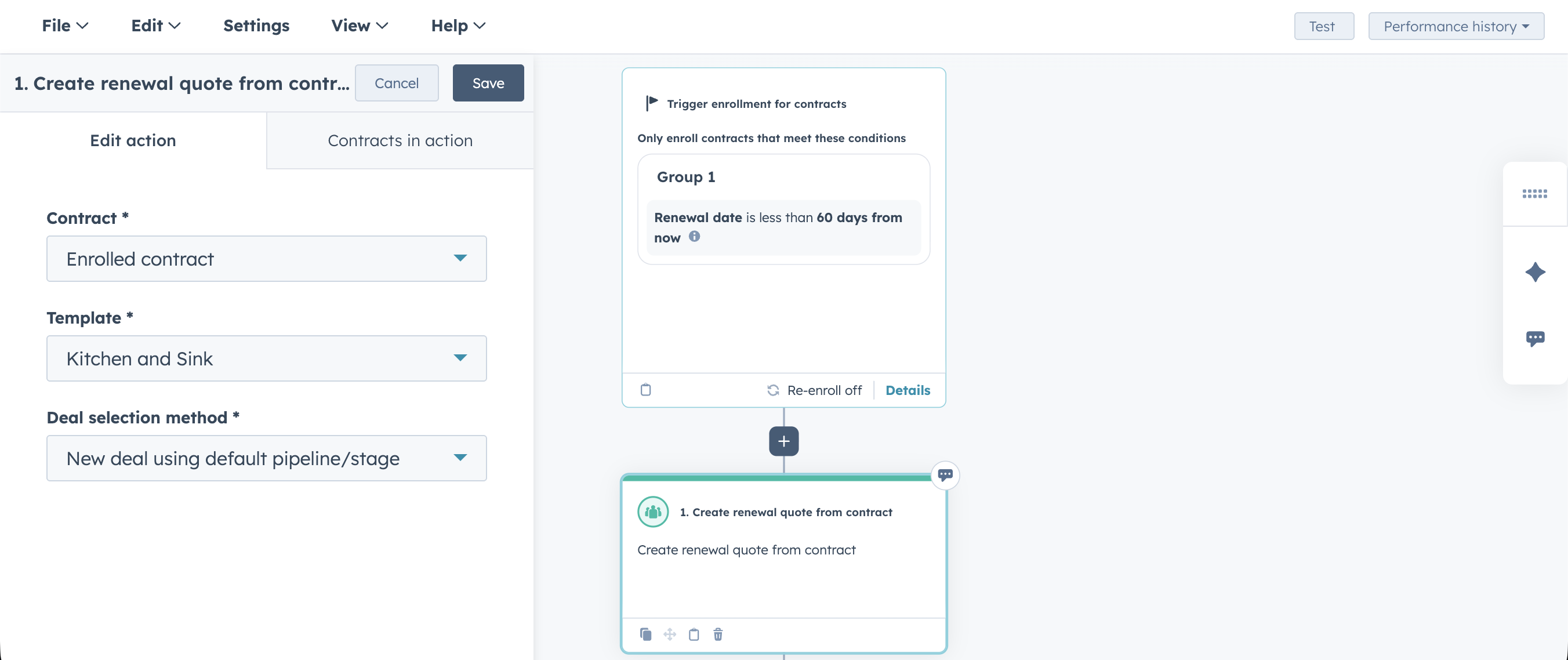
Create Renewal Quote Workflow Action
Navigate to Automation --> Workflows
- Create a workflow
- Create a contract-based workflow, for example, automatically generate a renewal quote when a contract is set to expire in 60 days.
- Click on the + go to CRM --> Create renewal quote from contract
- Add the create renewal quote from contract action
Create Associations Between Records Based on Existing Associations
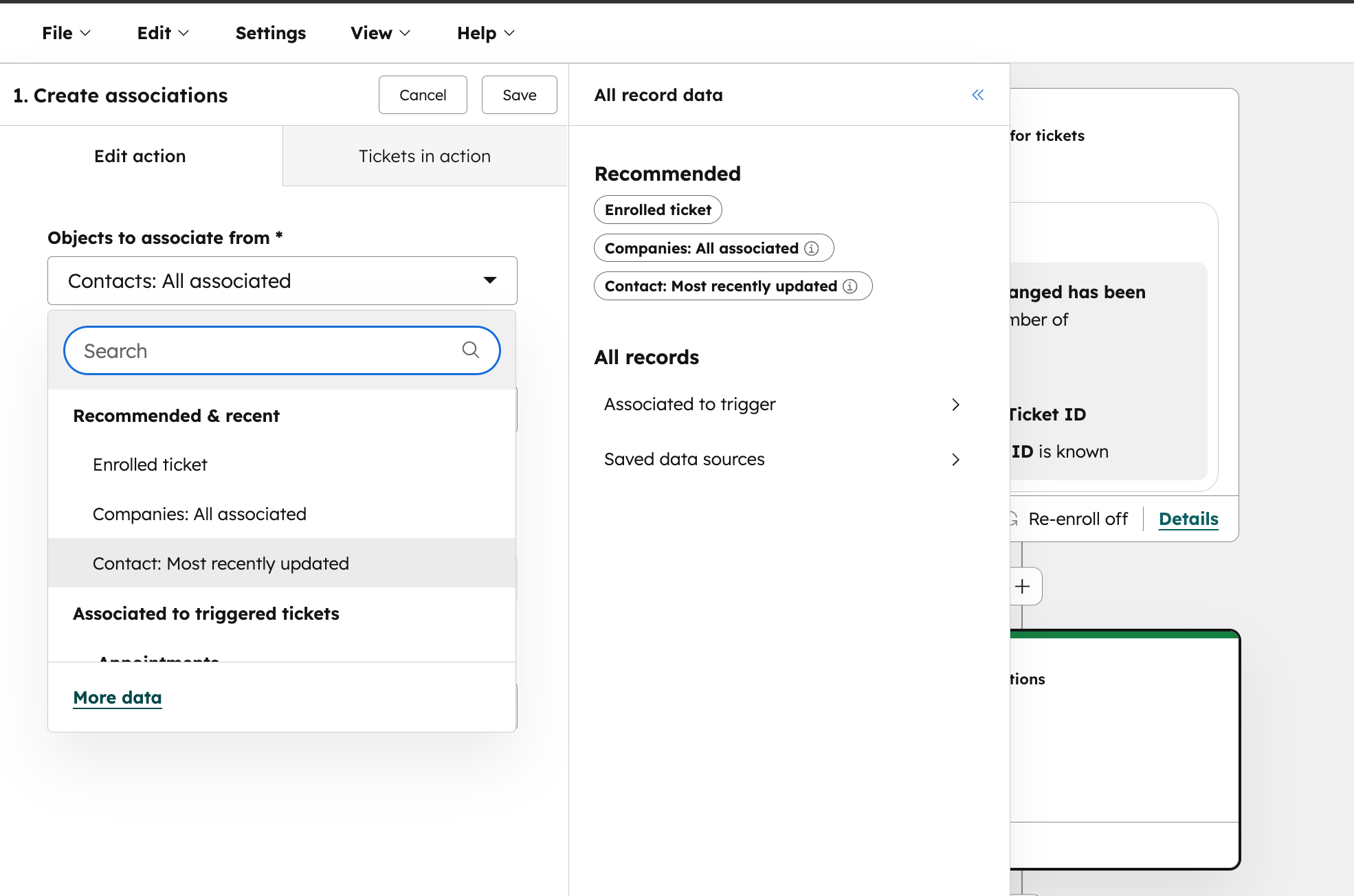
You can now configure the Create association workflow action to operate on the records associated with the enrolled object. When setting up the action, you can choose from the following targeting options:
- All associated records (up to 100 most recently associated)
- Most recently updated
- Most recently created
- First created
- Most recently associated
- First associated
- Associated records with a specific label
This enhancement is available in all workflows where the Create association action is available.
Example use case
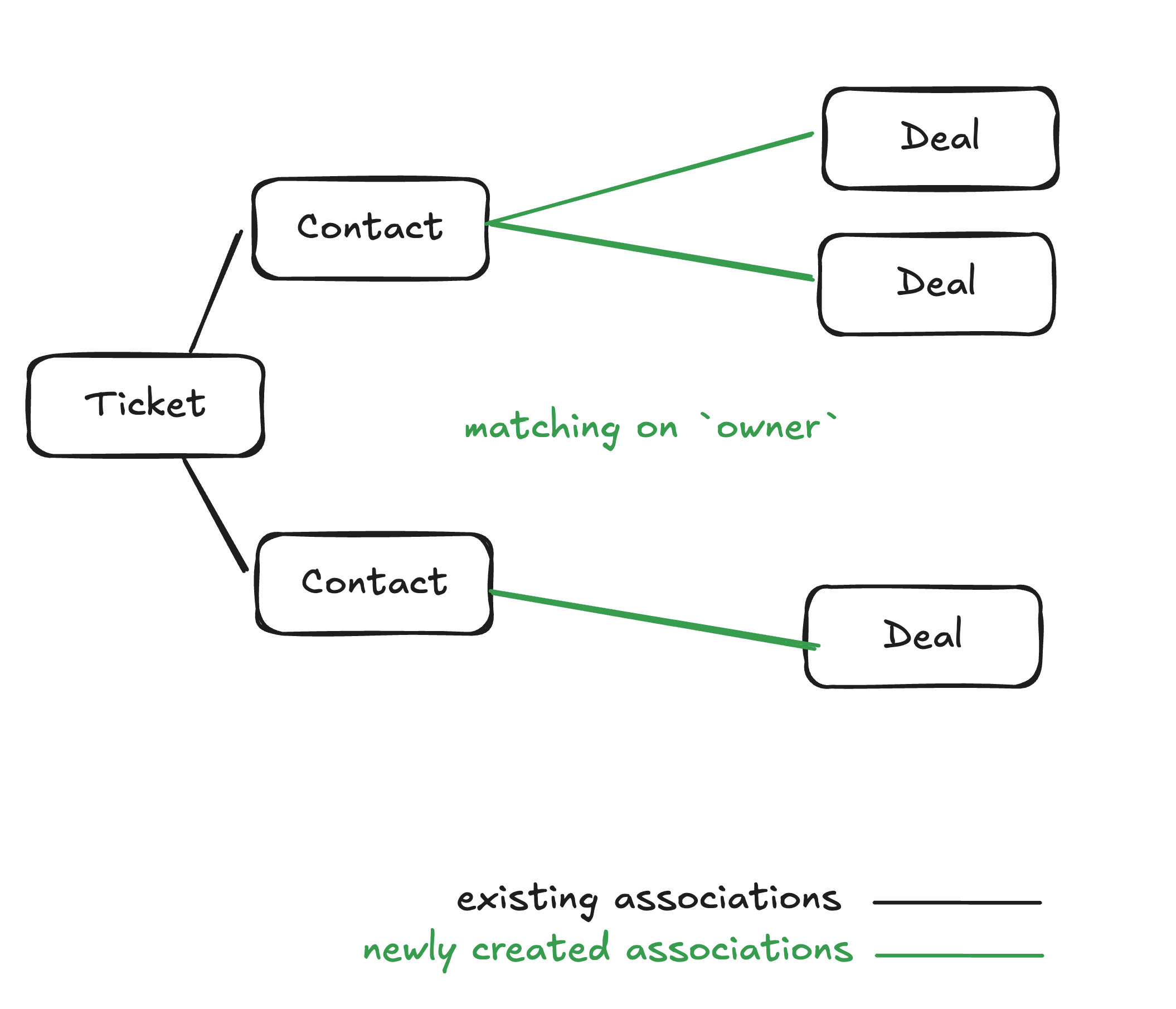
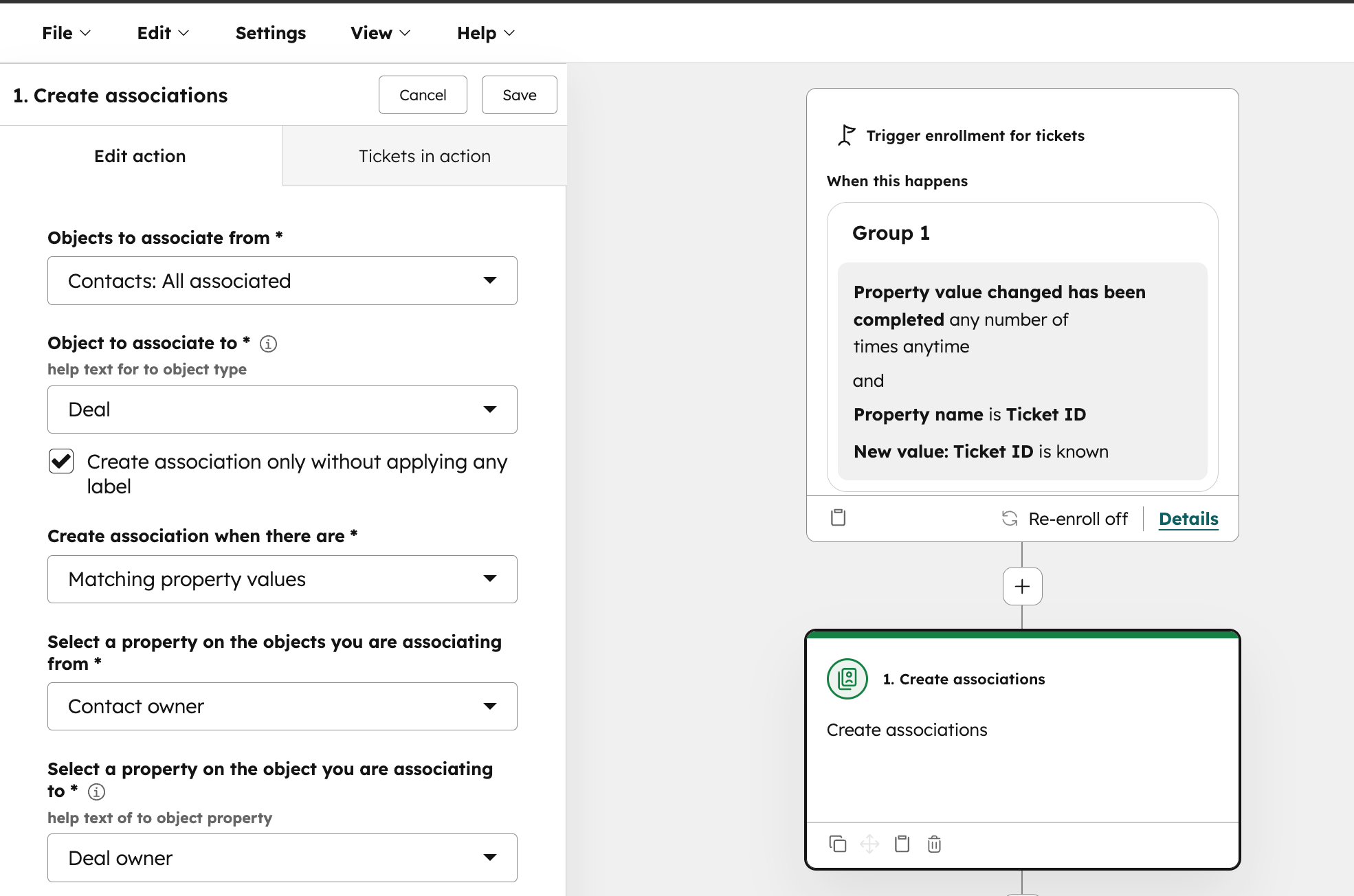
For example, assume you'd like to ensure that contacts from escalated tickets are associated to deals. From a ticket-based workflow, you can create associations between the ticket's associated contacts to deals using a matching property.
Why does it matter?
Previously, the Create association workflow action could create associations between the enrolled record and supported object types. With this update, you can now automate association creations based on associations that already exist. By allowing workflows to operate on the enrolled object's associated records, this update unlocks far more flexible, relationship-driven automation.
How does it work?
- Create or update a workflow using the Create association action
- Select an option for Objects to associate from
- Click on More data to see all available options
What Does AI Really Know About Your Brand?
As HubSpot continues to expand automation and AI-powered capabilities, one question is becoming more important than ever: how is your brand actually showing up in AI-driven experiences?
From search to buying decisions, tools like ChatGPT and other answer engines are shaping how prospects discover and evaluate companies—often before they ever visit your website.
If you want a behind-the-scenes look at how AI is interpreting your brand (and what you can do about it), don’t miss our upcoming session.
Register for our webinar, What AI Knows About Your Brand, and see real early results from B2B companies already adapting to this shift: