 Orange Marketing
%20(38).png)
It’s a quieter week for HubSpot updates, but there’s one release that’s generating plenty of buzz. As AI continues to reshape how buyers discover products and services, HubSpot is expanding its advertising capabilities with a new integration that brings ChatGPT Ads into the platform.
If AI search is part of your marketing strategy (and it should be), this is one update you won’t want to miss.
Let's take a closer look at our favorite update for the week of July 13, 2026:
- ChatGPT Ads Integration.
ChatGPT Ads Integration
ChatGPT hit $100M in annualized ad revenue within 6 weeks of launch. OpenAI is targeting $2.5B in 2026 and $100B by 2030. New ad channels that scale this fast don't come around often.
ChatGPT Ads uses a different targeting model than traditional ad networks: ads are matched to what users are actively asking about, not just who they are. This means your ads can reach people at the moment they're searching for something relevant to your business. Once connected, you can manage ChatGPT campaigns directly in HubSpot alongside your other channels, without switching between tools.
ChatGPT Ads complements AEO. If you're optimizing for AI search visibility, pairing that with paid placement in the same interface means that you're not missing any eyeballs.
How does it work?
Connect your ChatGPT Ads account
- Navigate to Settings > Marketing > Ads and click Connect account.
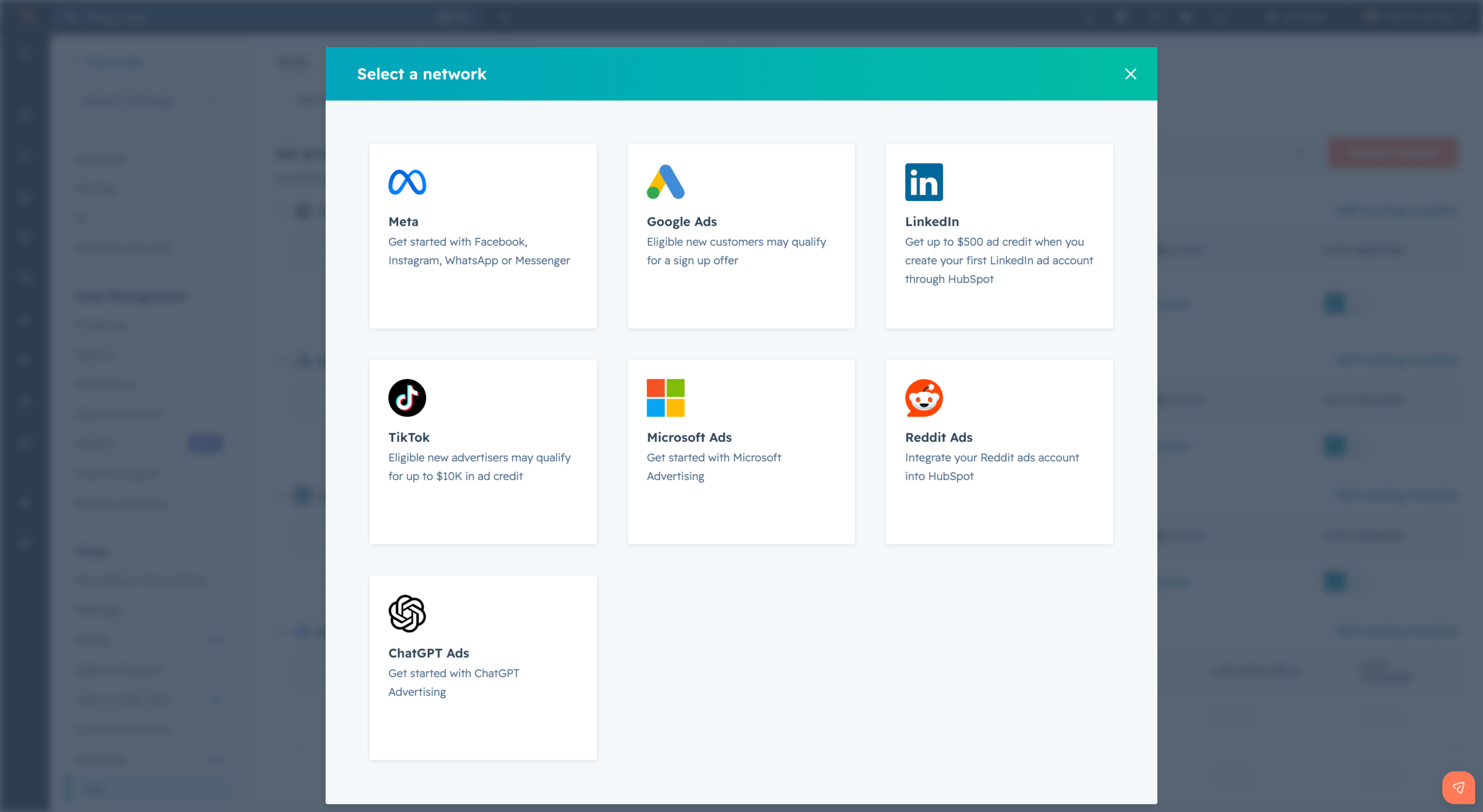
Select ChatGPT from the network modal.
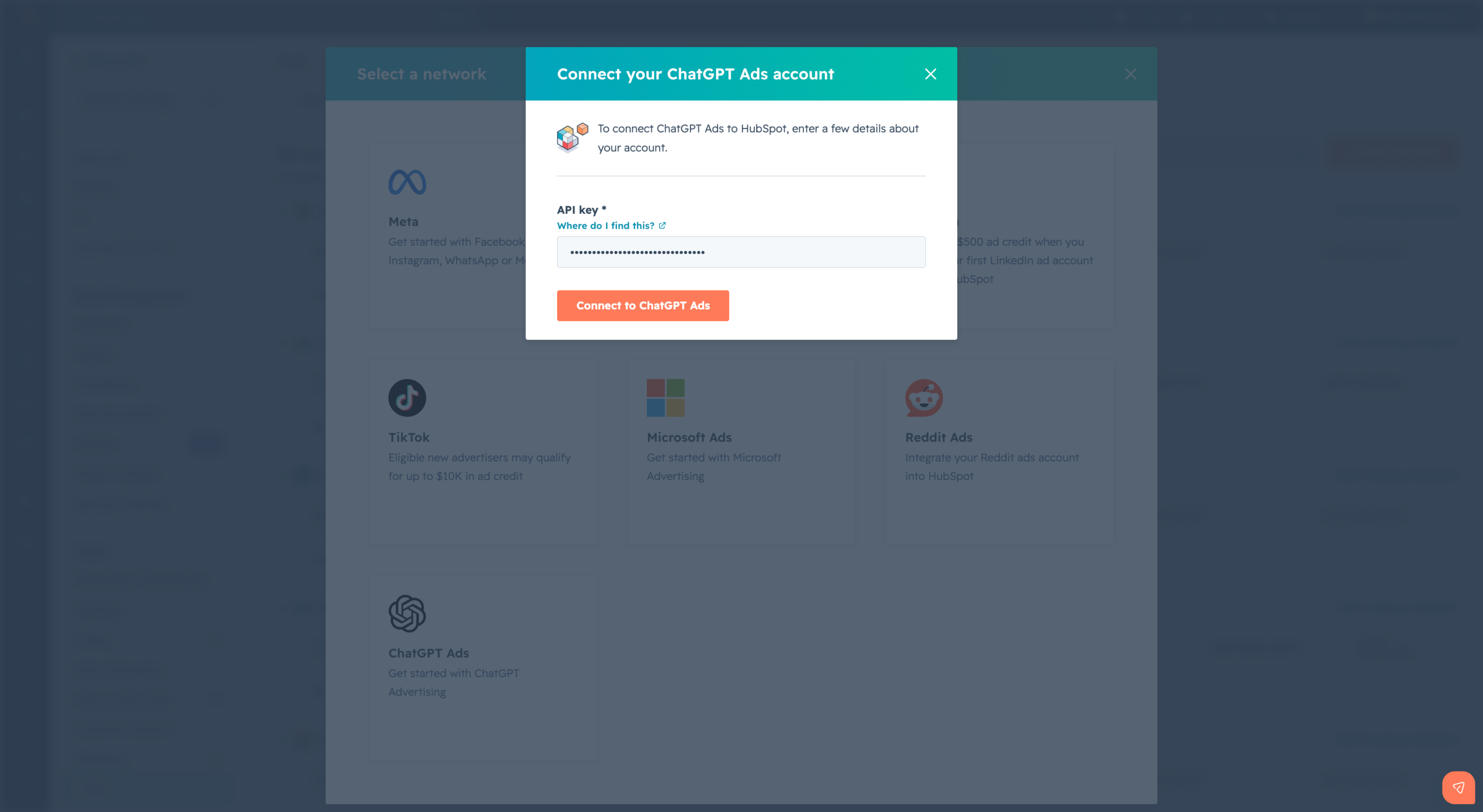
- Paste your ChatGPT Ads API key into the field and click Connect. HubSpot validates the key and displays your connected account. Your API key comes from your OpenAI Ads dashboard.
Create a ChatGPT ad campaign
- Navigate to Marketing > Ads and click Create ad campaign.
- Select the ChatGPT ad type.
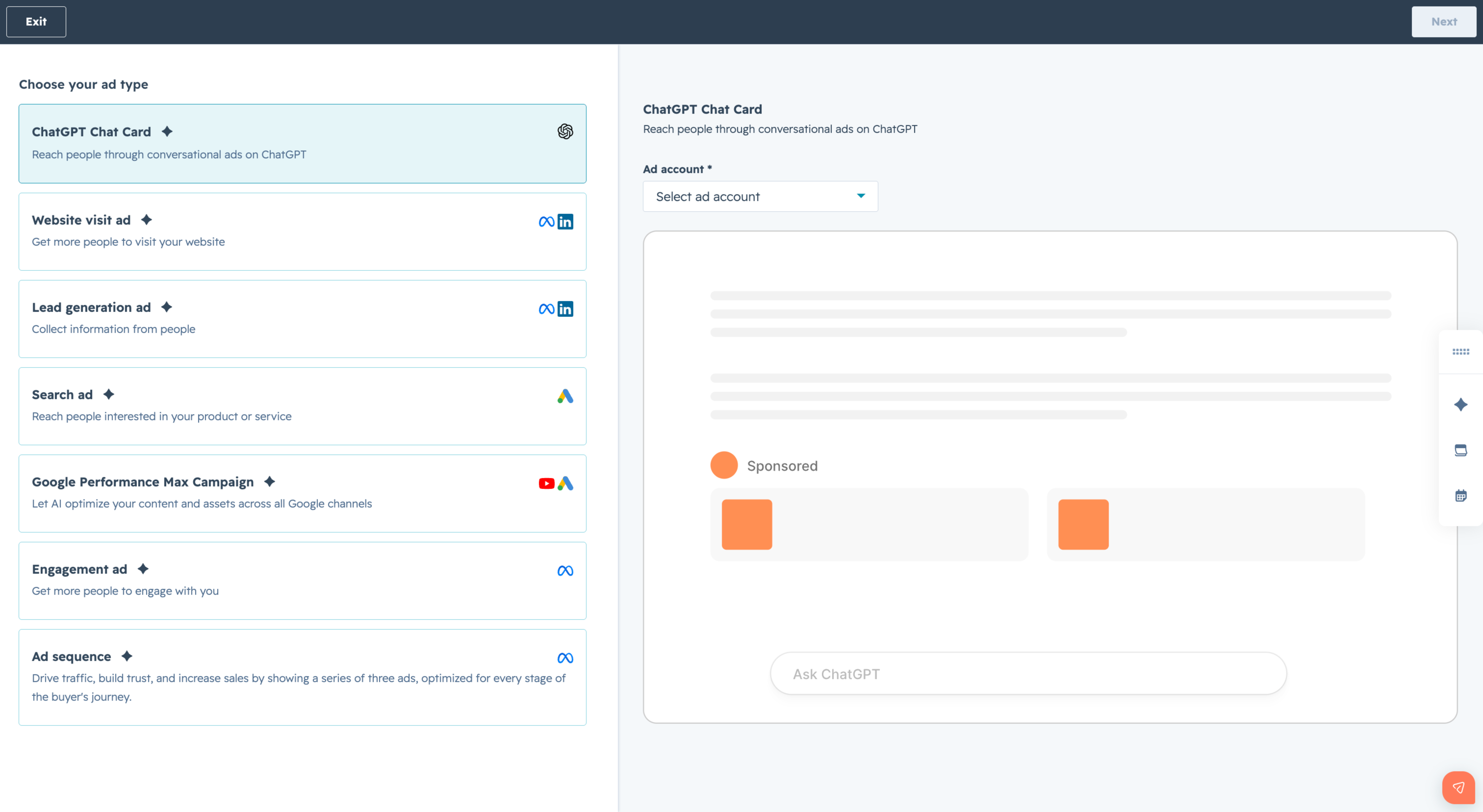
Complete the three-step creation flow:
- Creative: Enter a title (3-50 characters), body copy (up to 100 characters), an image, and a destination URL
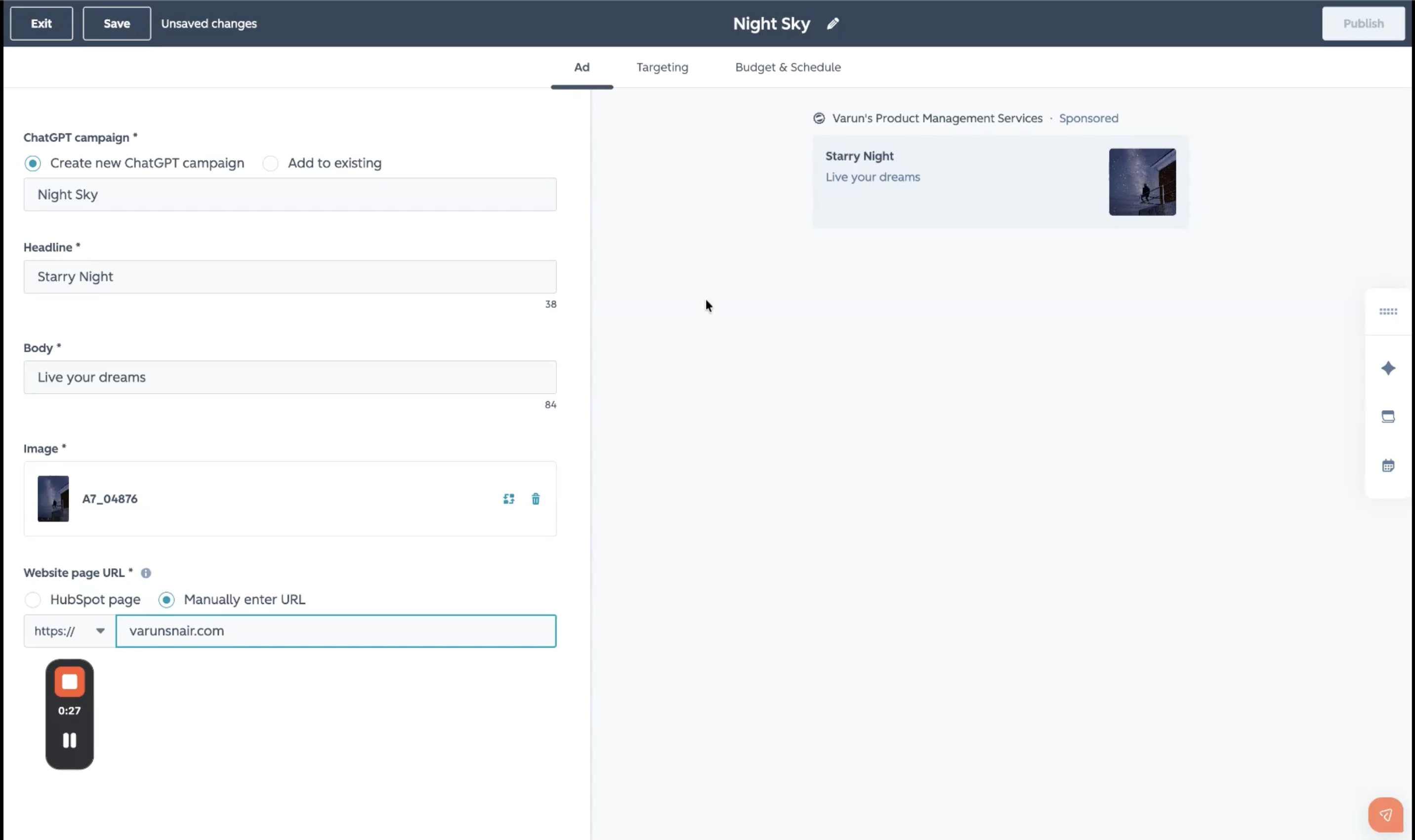
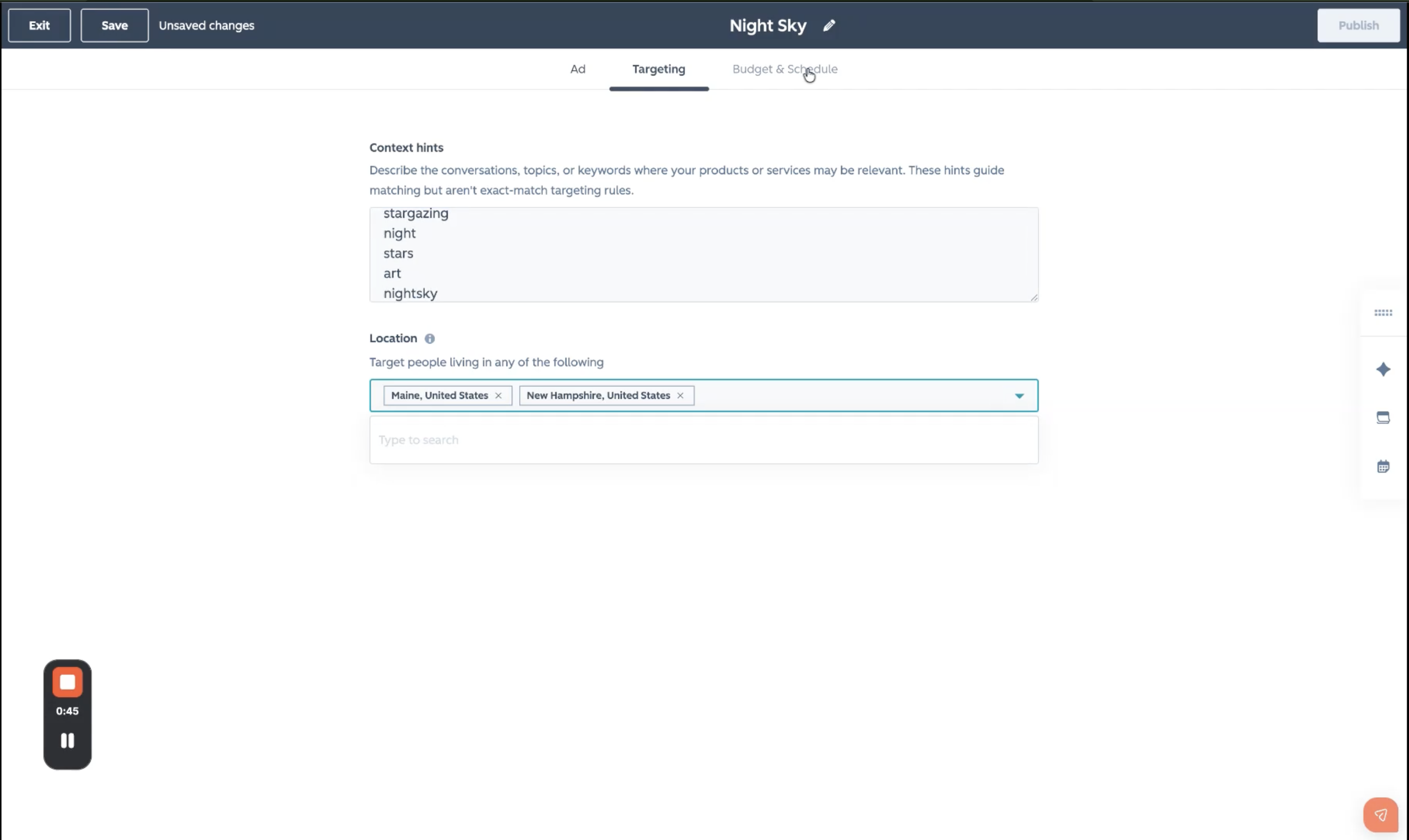
Targeting: Add context hints. These are free-form phrases describing the conversations you want your ad near (for example, "project management" or "team collaboration tools").
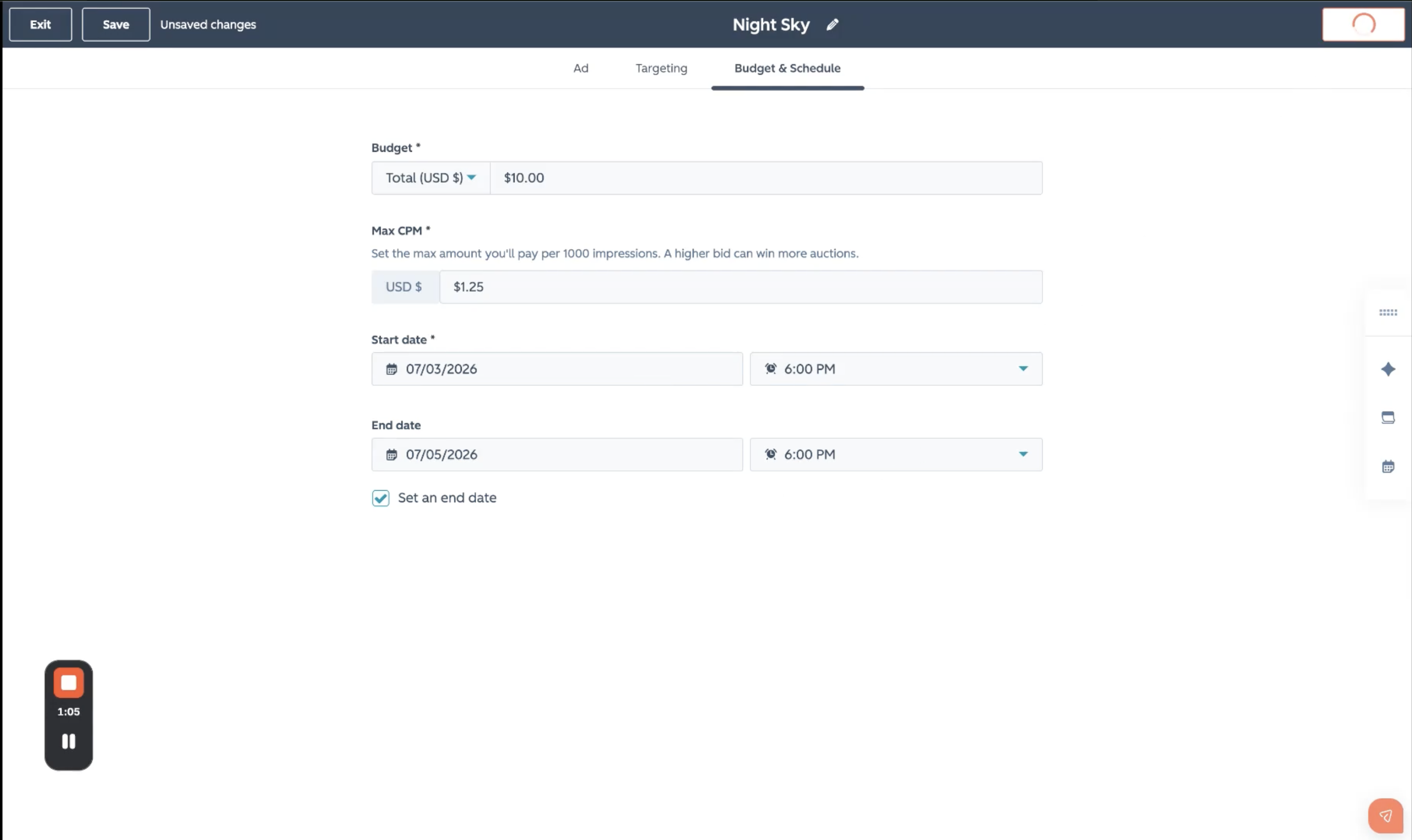
Schedule and Budget: Set a start date, end date, and a lifetime budget. ChatGPT uses fixed CPM pricing, so there's no bidding strategy to configure.
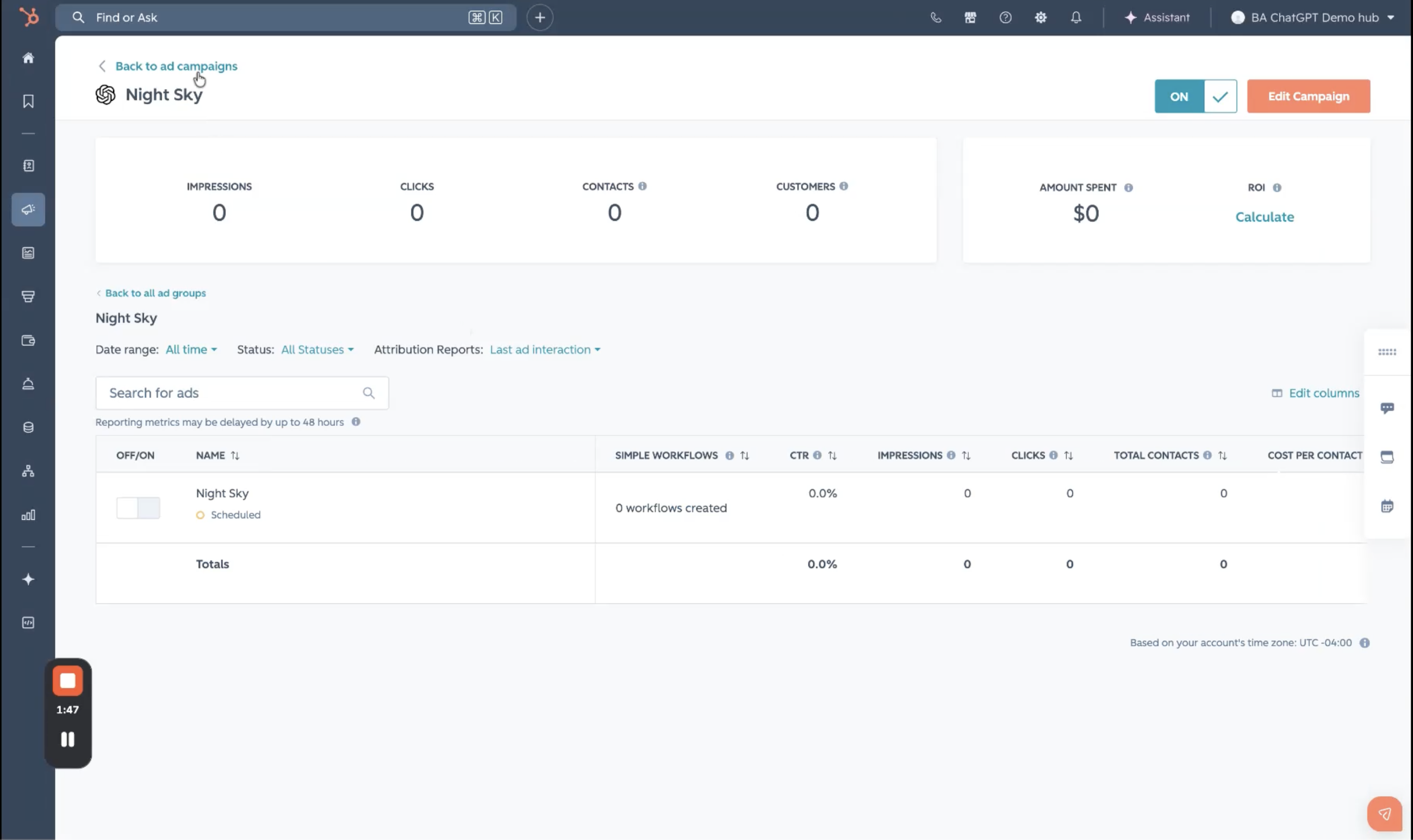
- Click Publish to publish your ChatGPT ad campaign.
View reporting and attribution
Once connected, your ChatGPT ad campaigns will automatically appear in the Manage and Analyze tabs alongside your other ad networks. Campaign, ad group, and ad-level reporting are available in the same places as for other networks.
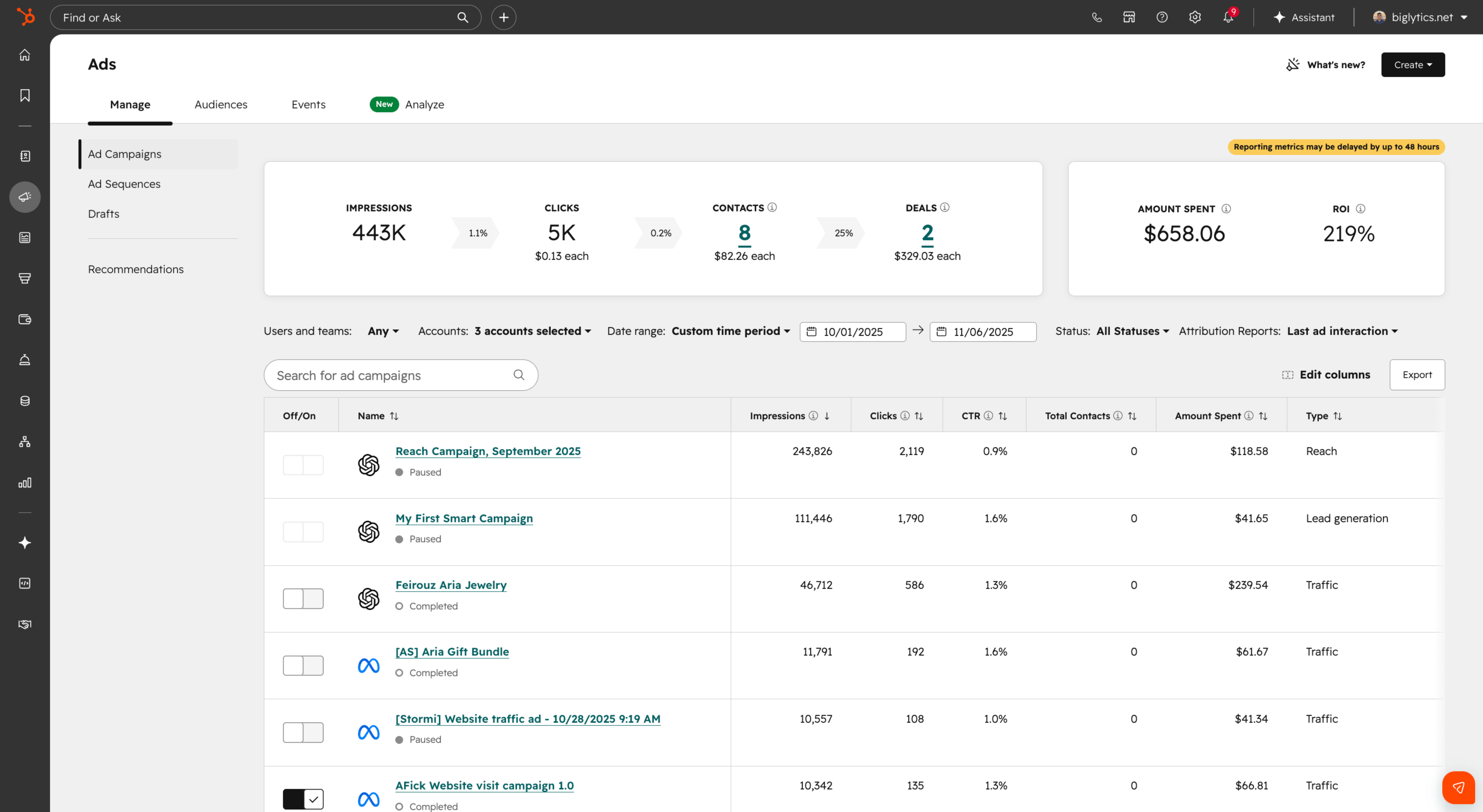
When you enable auto-tracking, HubSpot automatically appends UTM parameters to your ChatGPT ad URLs. This lets you see which contacts clicked your ChatGPT ads, how many deals resulted from those clicks, and your total ChatGPT ads ROI.
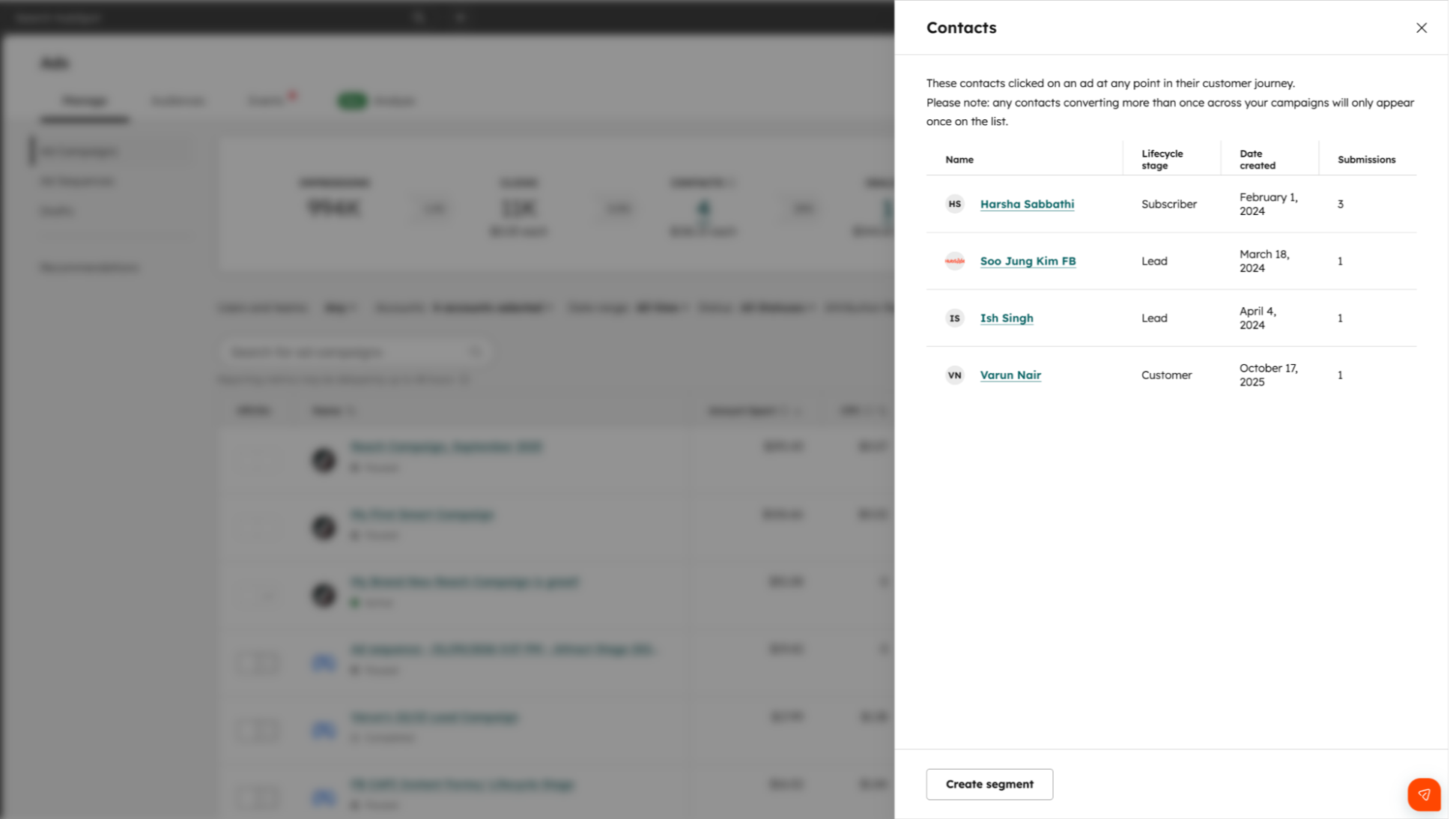
Enroll contacts in workflows
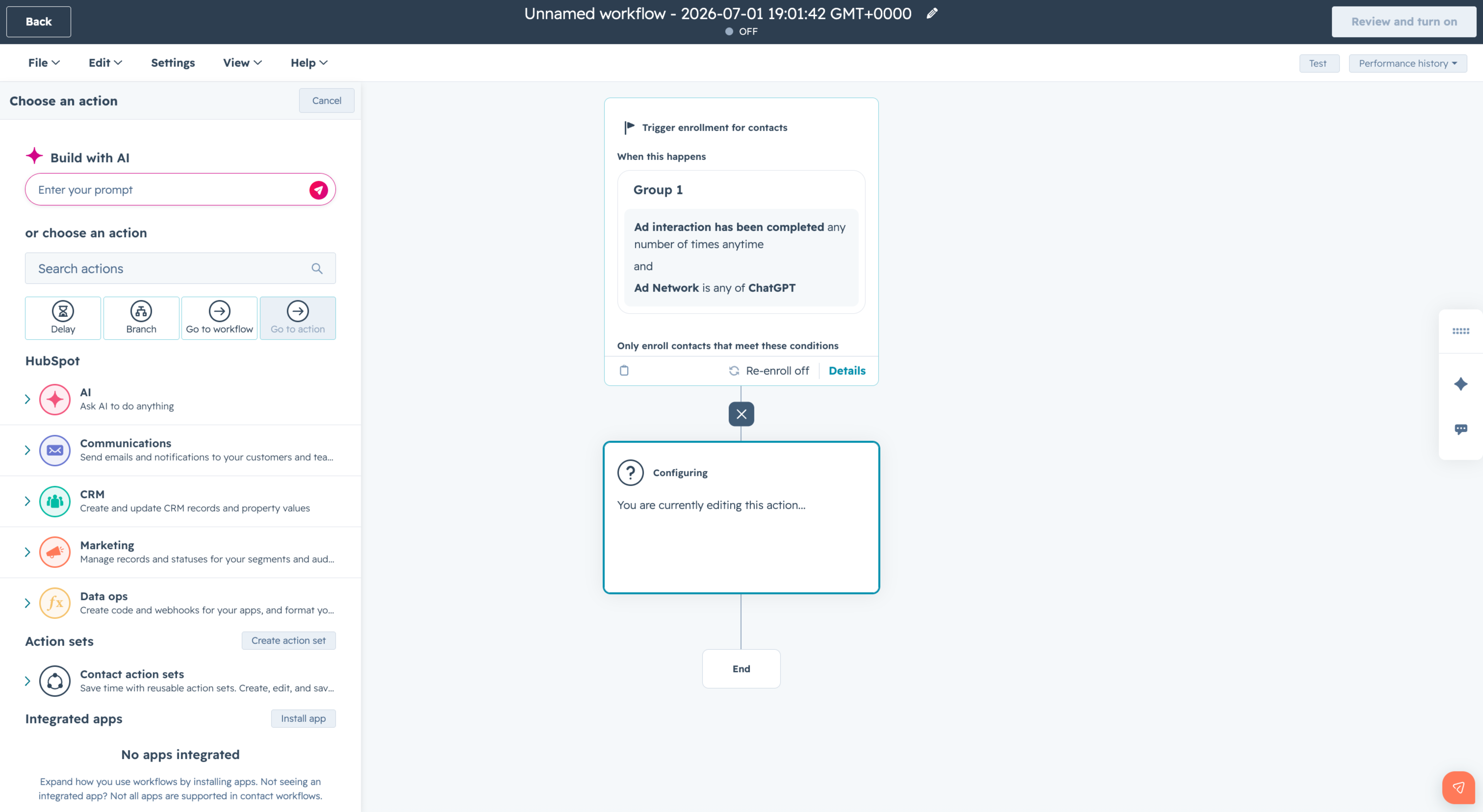
Contacts who interact with your ChatGPT ads can be automatically enrolled in HubSpot workflows, enabling immediate, personalized follow-up triggered directly by ad engagement.
Get Ahead of the AI Search Shift
The introduction of ChatGPT Ads is another sign that AI is quickly becoming a primary channel for how buyers discover and evaluate solutions. The brands that understand how to combine paid AI visibility with strong AEO strategies will be in the best position to stand out.
Want to learn how to do both?
Join our upcoming live session, Earn the Answer: PR + AEO Tactics That Get You Found in AI Search, and discover practical strategies to help your brand get found in the age of AI.
