Orange Marketing
%20(13).png)
We’re diving into February with a batch of updates that make your CRM smarter, your email marketing sharper, and your reporting more insightful. Whether you're planning your next campaign, optimizing internal workflows, or expanding your social strategy to new platforms, this week's features will help you move faster and make better decisions.
Let's take a look at the most helpful updates for the week of February 2, 2026:
- Predicted Email Engagement in Segments,
- Retroactive SLAs,
- Build Custom Reports on Form Submissions, and
- TikTok Integration for Social.
Predicted Email Engagement in Segments
See how a segment of contacts is predicted to perform in an email based on the historical engagement of the contacts.
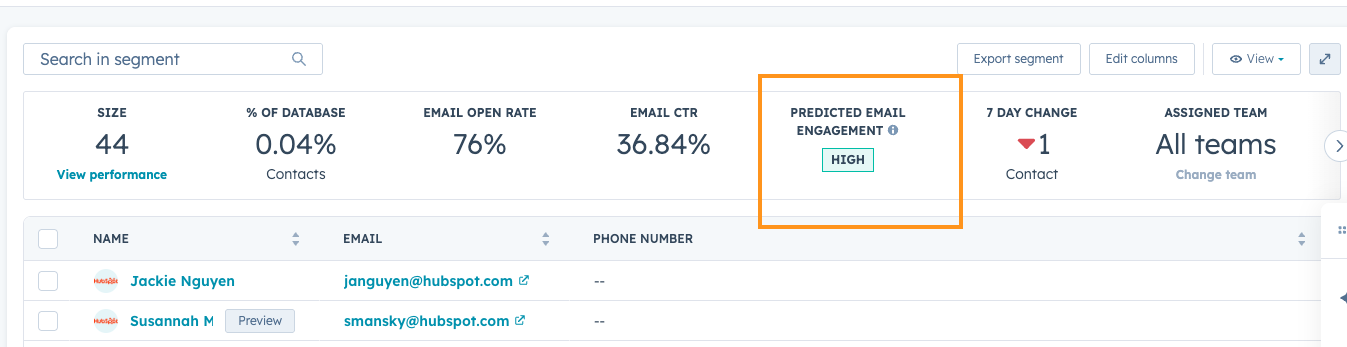
Email performance depends on your audience, not just content. Today, you might rely on guesswork or manually building out reports of past results to predict segment performance. Now, you can predict segment-level email performance before sending, so that you focus your efforts on high-potential segments.
How does it work?
1) Create a Contact segment or navigate to an existing Contact segment
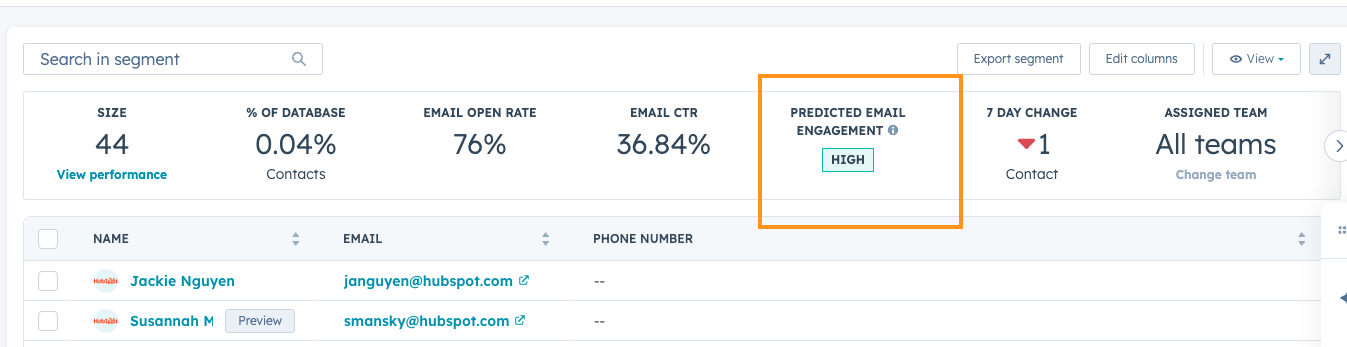
2) Predicted email engagement is now available in:
- In the Overview
- Performance tab --> Available Channels
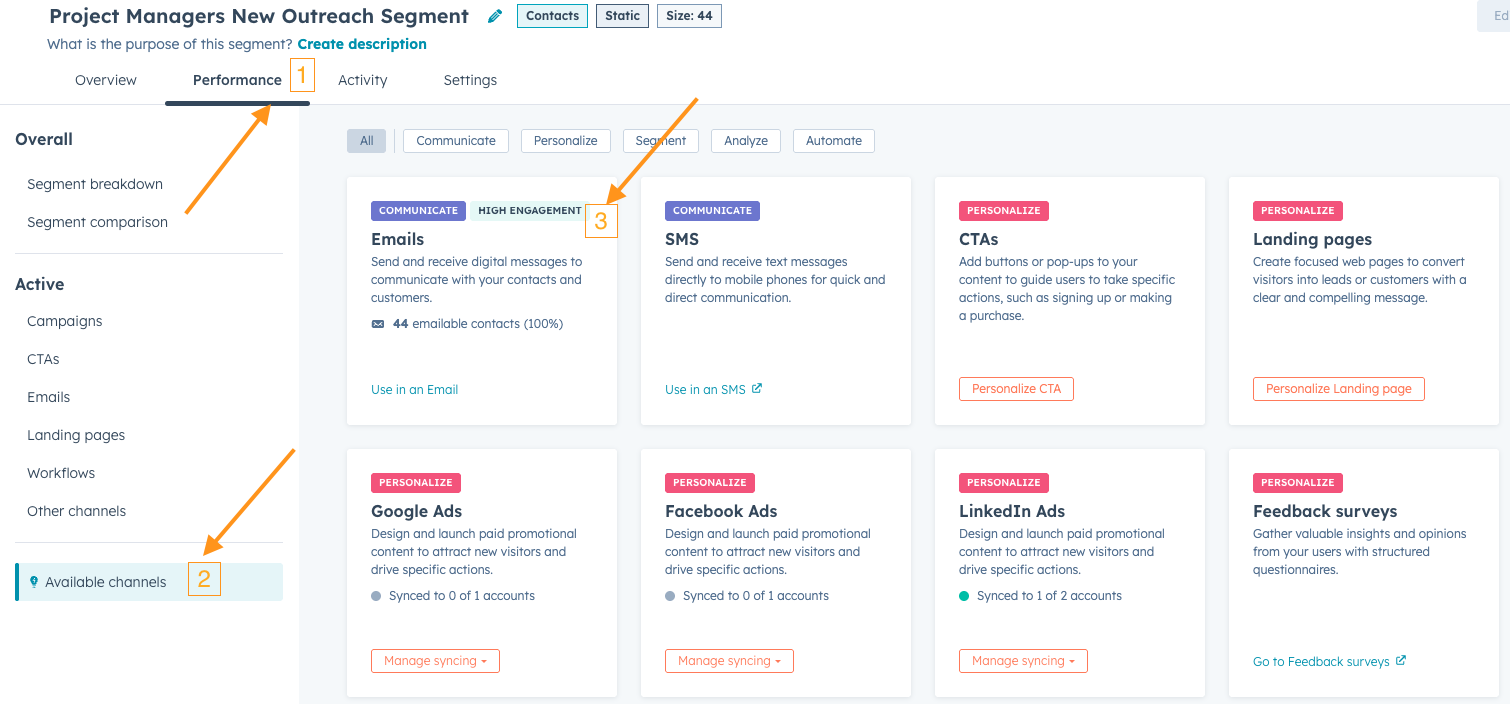
3) Predicted email engagement analyzes past engagement for contacts in the segment and compares their past engagement to the average engagement of all contacts in your HubSpot instance
4) Contact segments will have a High, Medium, Low, or Unknown email engagement prediction:
- High – above-average expected engagement
- Medium – average expected engagement
- Low – below-average expected engagement
- Unknown – insufficient data for prediction
Now, you're ready to send with confidence!
Retroactive SLAs
Currently, any new changes made to SLAs in the Help Desk are applied to new tickets only. This new feature gives admins the option to apply SLA changes to existing tickets. Teams can retroactively align in-flight tickets with their latest SLA configurations without manual intervention.
Why does it matter?
Customers expect the ability to configure SLA goals that apply to their current tickets, not just new ones. This allows them to establish new goals and immediately reflect them in active workflows, ensuring reporting accuracy and consistent expectations for agents and managers alike.
How does it work?
When creating or editing an SLA goal in Help Desk Settings, users will now have the option to apply to new tickets only, or apply to new and existing open tickets:
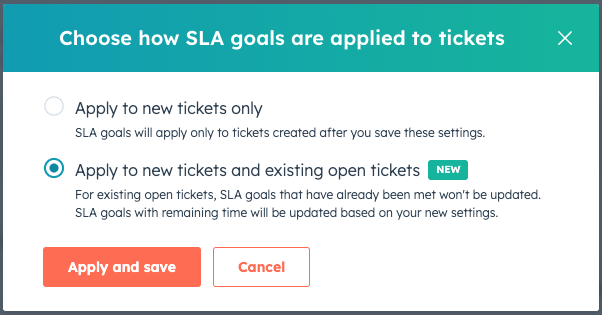
Note: for existing open tickets, SLA goals that have already been met won't be updated. SLA goals with remaining time will be updated based on the new settings.
Build Custom Reports on Form Submissions
We are excited to announce the Public beta for supporting form submissions as a data source in the Custom Report Builder.
You can now build a variety of reports based on form submissions to understand how your forms are performing, slice and dice form submissions data and much more.
How does it work?
- Under custom report builder, select "Forms", "Form Submissions" and "Form Analytics" as the data sources. Also select other required data sources such as Contacts, Companies etc.
- Using the various data sources selected, pull the required fields.
- Apply the necessary filters
- Choose the appropriate chart types for your report.
- Break down the selected data as required.
- Now, you should see the report populated
- You can also add the reports your dashboards.
Below are some of the reports that you can build:
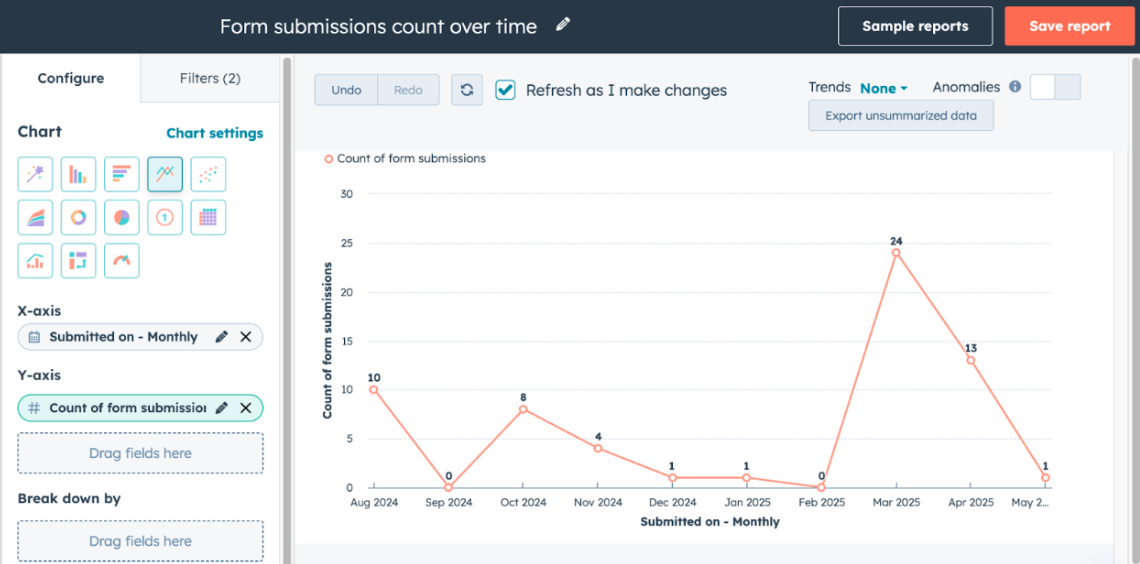
- Form submissions count over time
- Data Sources to Select: Form Submissions(Primary), Forms
- Properties to select:
- X-axis : Submitted on
- Y-axis : Count of form submissions
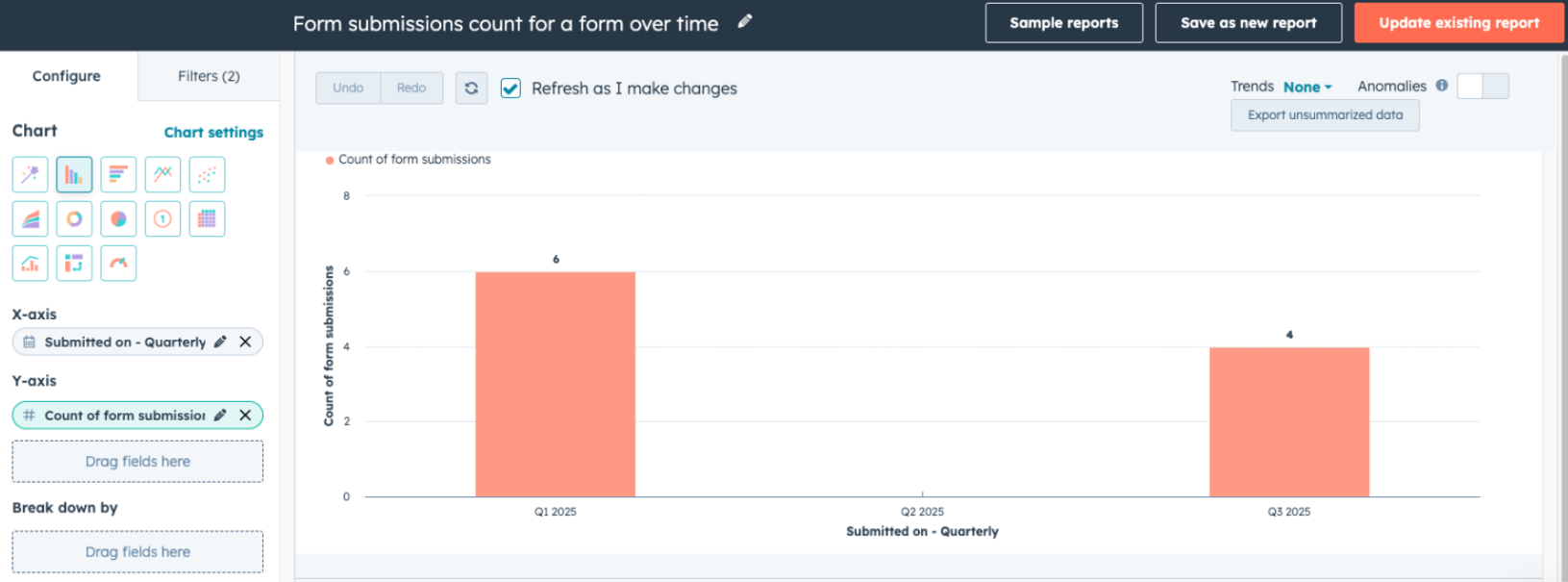
- Form submissions count for a form over time
- Data Sources to Select: Form Submissions(Primary), Forms
- Properties to select:
- X-axis : Submitted on
- Y-axis : Count of form submissions
- Filter by: Name(Form Name)
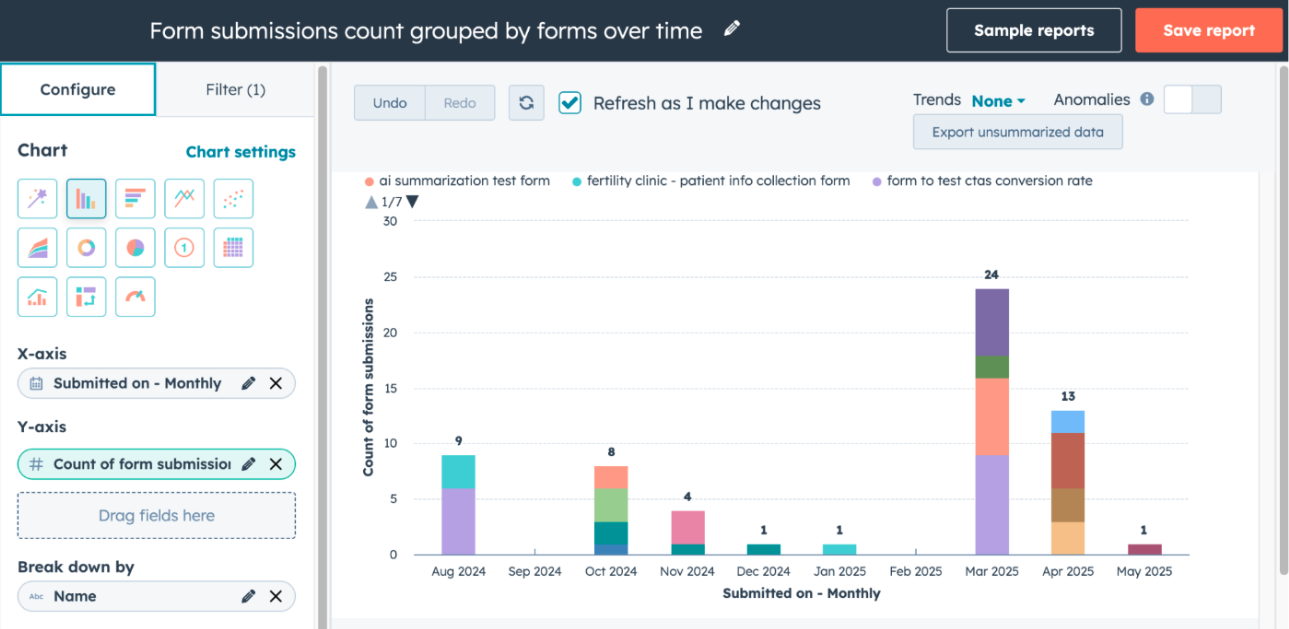
- Form submissions count grouped by forms over time
- Data Sources to Select: Form Submissions(Primary), Forms
- Properties to select:
- X-axis : Submitted on
- Y-axis : Count of form submissions
- Break down by : Name (Form name)
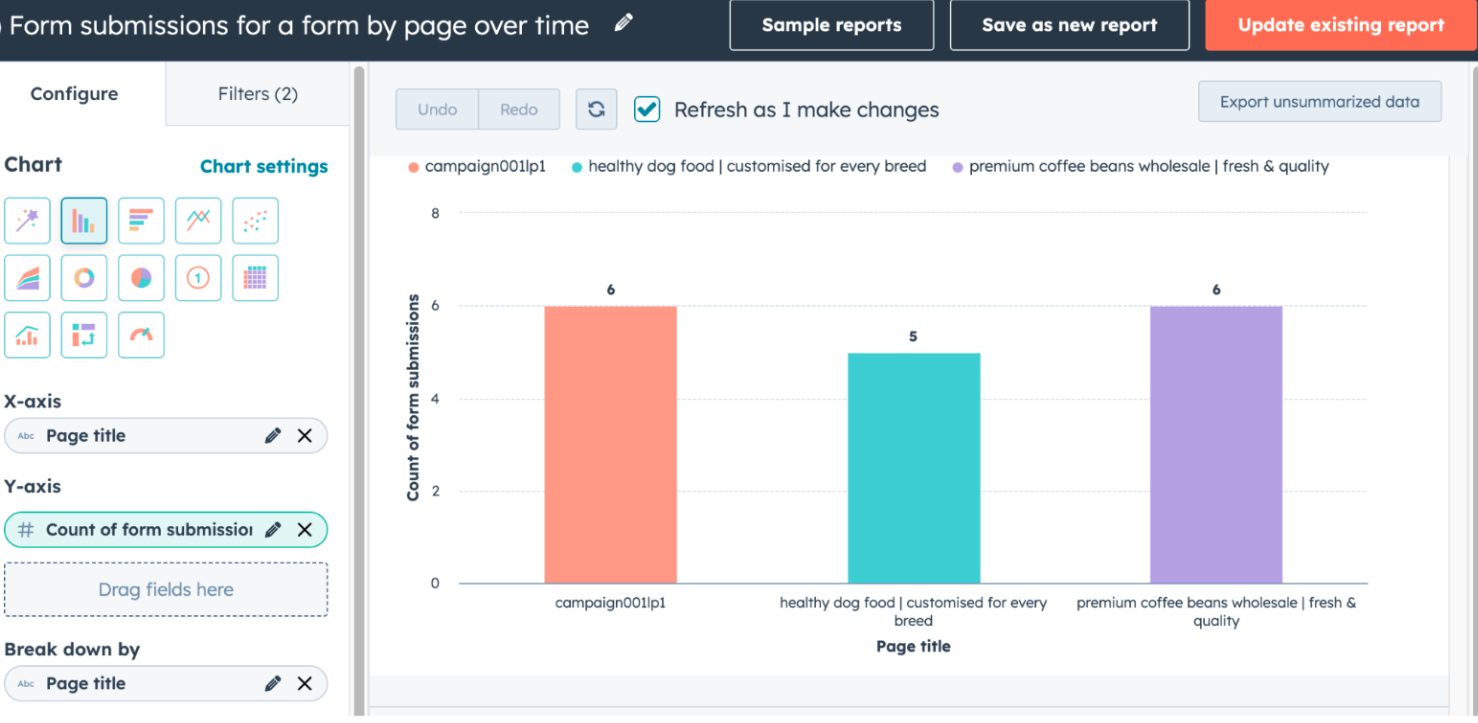
- Form submissions count for a form by page over time
- Data Sources to Select: Form Submissions(Primary), Forms
- Properties to select:
- X-axis : Page title
- Y-axis : Count of form submissions
- Break down by : Page title
- Filter by : Name(Form name)
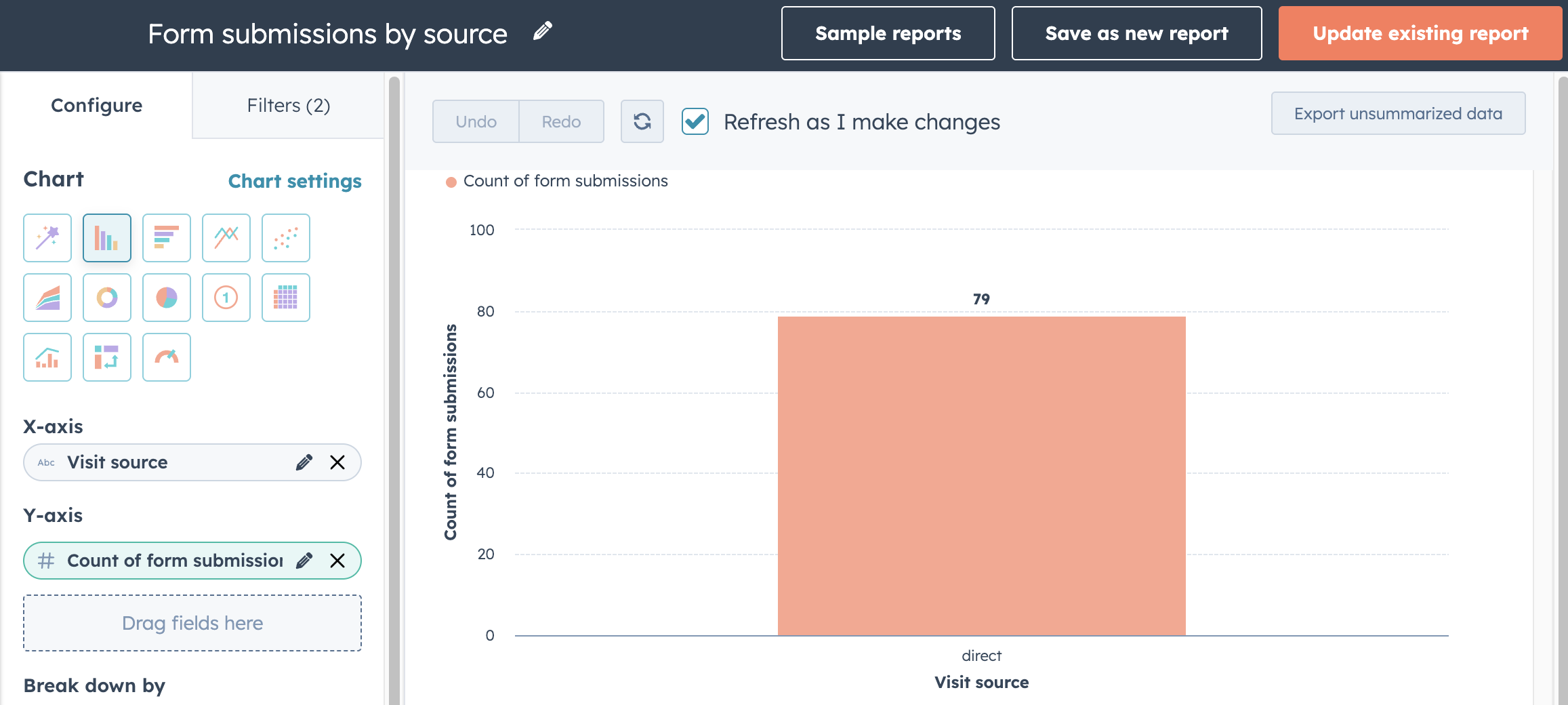
- Form submissions count by source
- Data Sources to Select: Form Submissions(Primary), Forms
- Properties to select:
- X-axis : Visit Source
- Y-axis : Count of form submissions
- Break down by : Visit Source
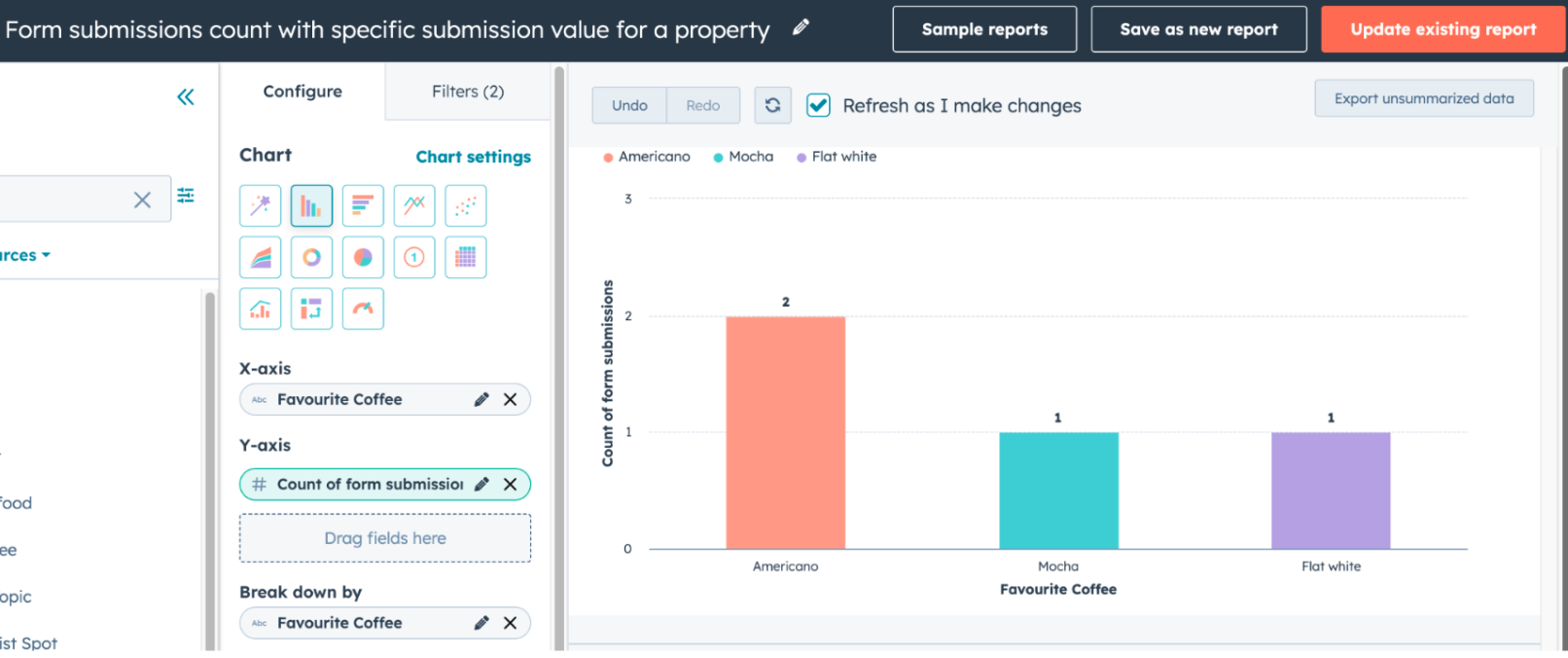
- Form submissions count with specific submission value for a property
- Data Sources to Select:Form Submissions(Primary), Contacts
- Properties to select:
- X-axis : Property of choice (Example: Favorite Coffee)
- Y-axis : Count of form submissions
- Break down by : Property of choice (Example: Favorite Coffee)
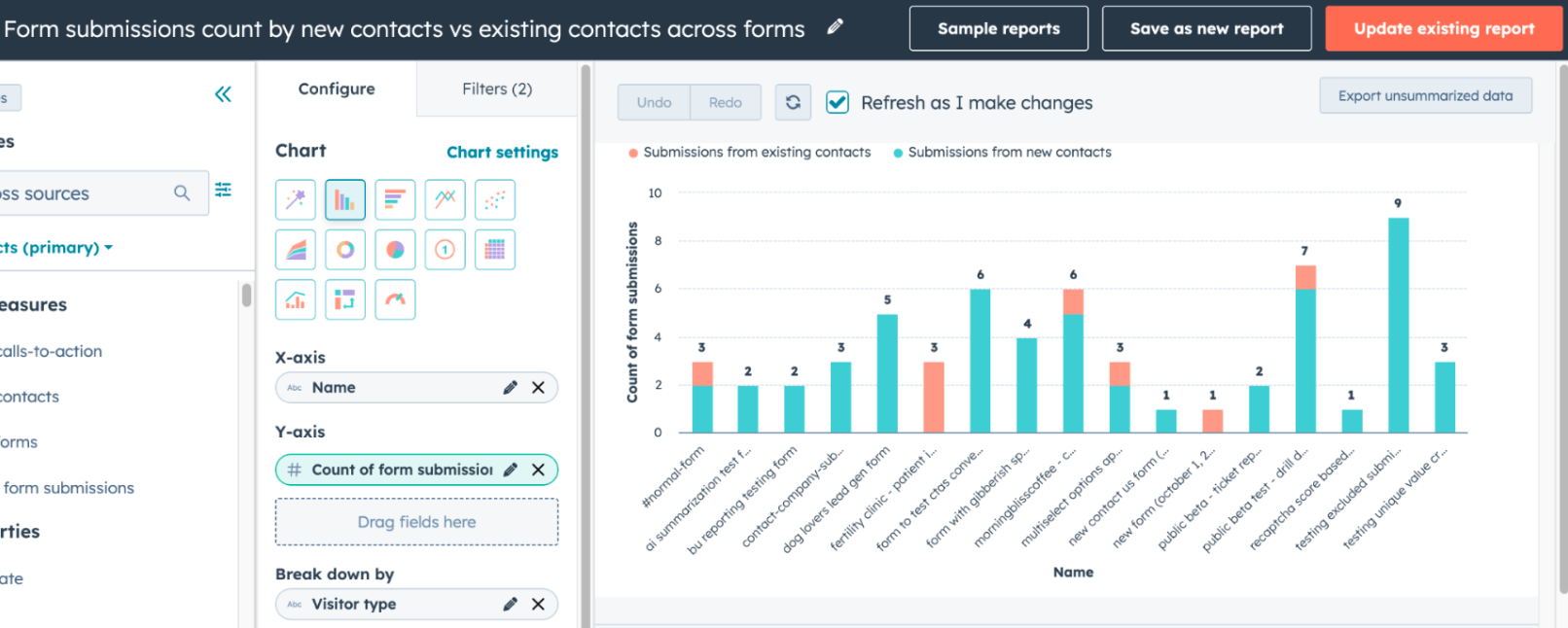
- Form submissions count by new contacts vs existing contacts across forms
- Data Sources to Select: Form Submissions(Primary), Forms
- Properties to select:
- X-axis : Name (Form Name)
- Y-axis : Count of form submissions
- Break down by : Visitor Type
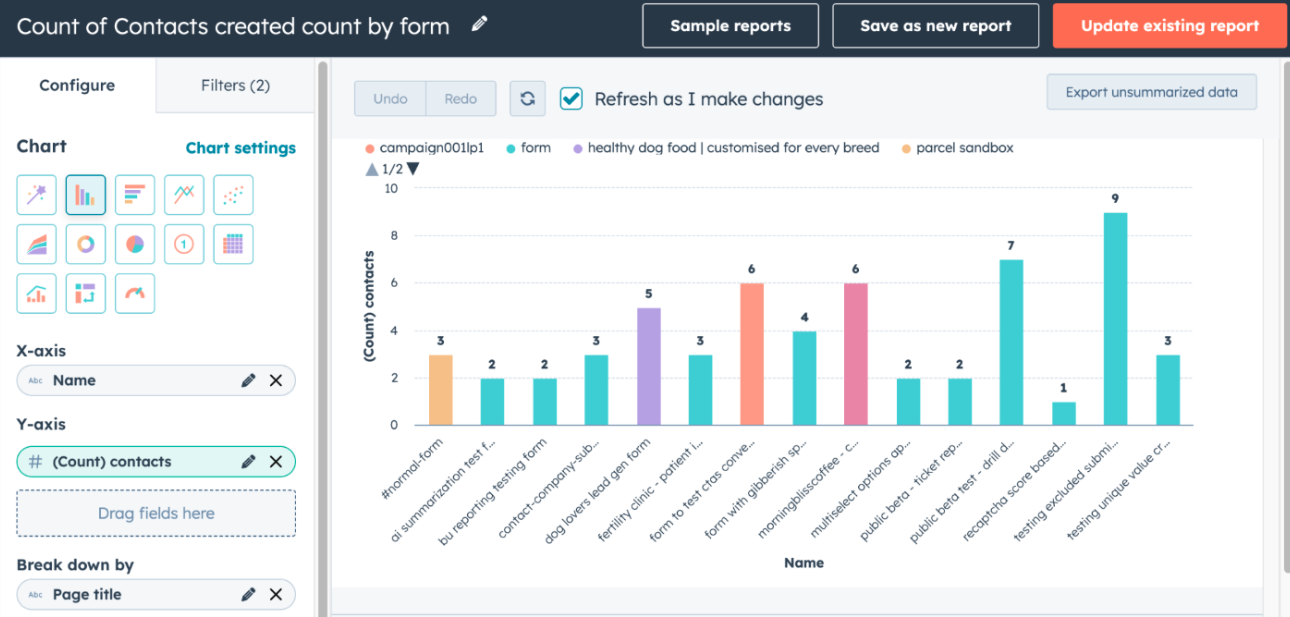
- Count of Contacts created by form
- Data Sources to Select: Form Submissions(Primary), Forms
- Properties to select:
- X-axis : Name (Form Name)
- Y-axis : Count of Contacts
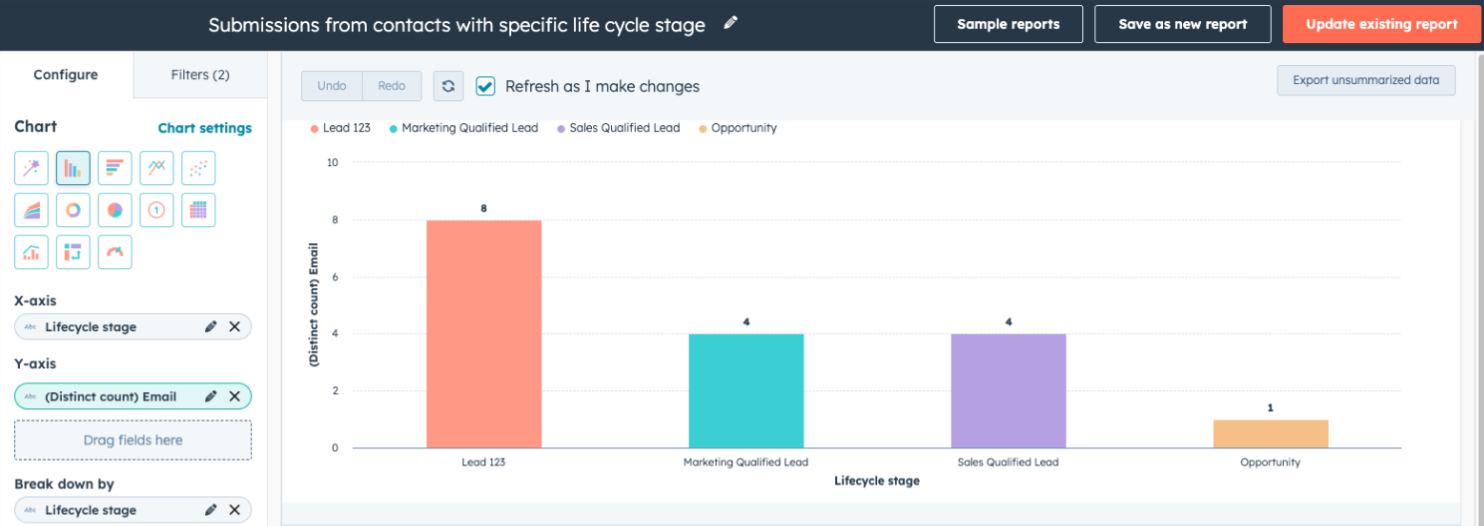
- Submissions from contacts with specific life cycle stage
- Data Sources to Select: Form Submissions(Primary), Forms
- Properties to select:
- X-axis : Lifecycle stage
- Y-axis : Distinct Count of Email
- Breakdown by : Lifecycle stage
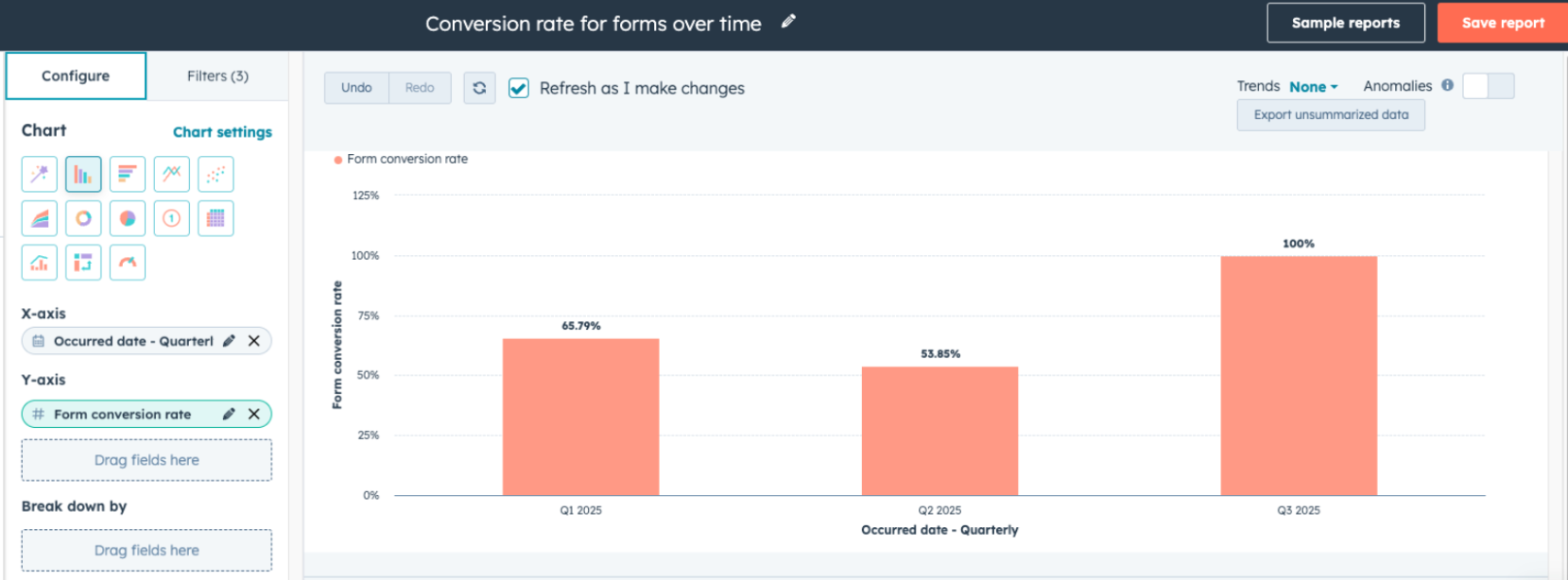
- Conversion rate for forms over time
- Data Sources to Select: Form Analytics(Primary), Forms
- Properties to select:
- X-axis : Occurred Date
- Y-axis : Form Conversion Rate
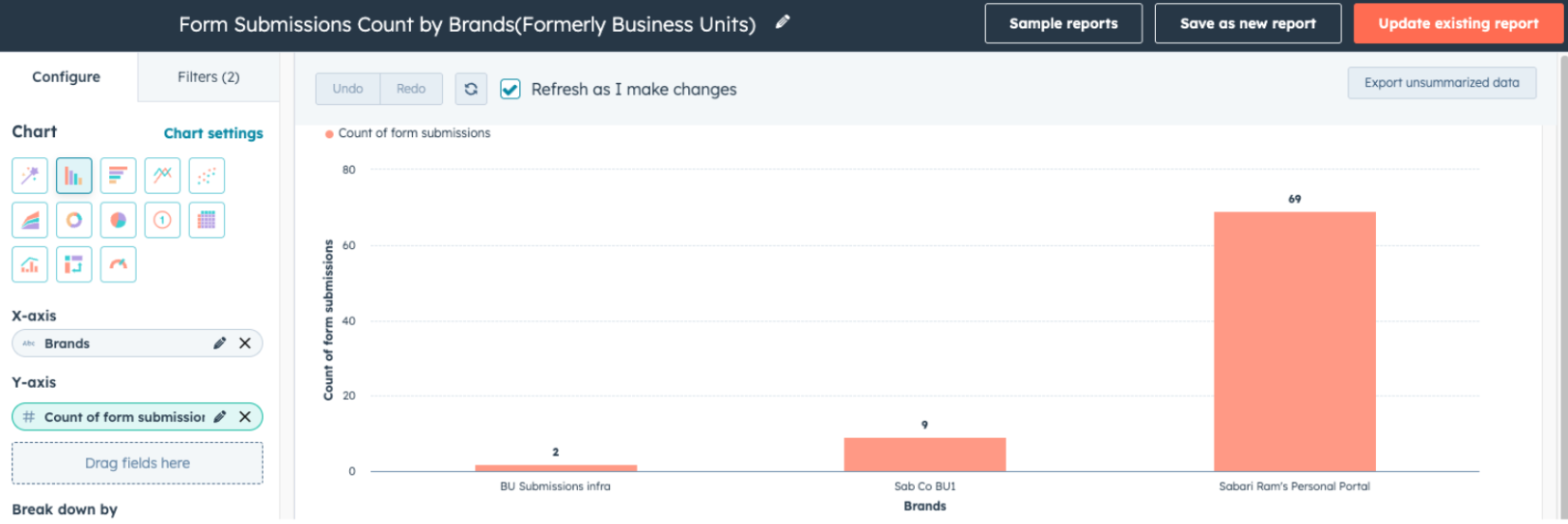
- Form submissions Count by Brand
- Data Sources to Select: Form Submissions, Forms
- Properties to select:
- X-axis : Brands (from Contacts data source)
- Y-axis : Count of form submissions
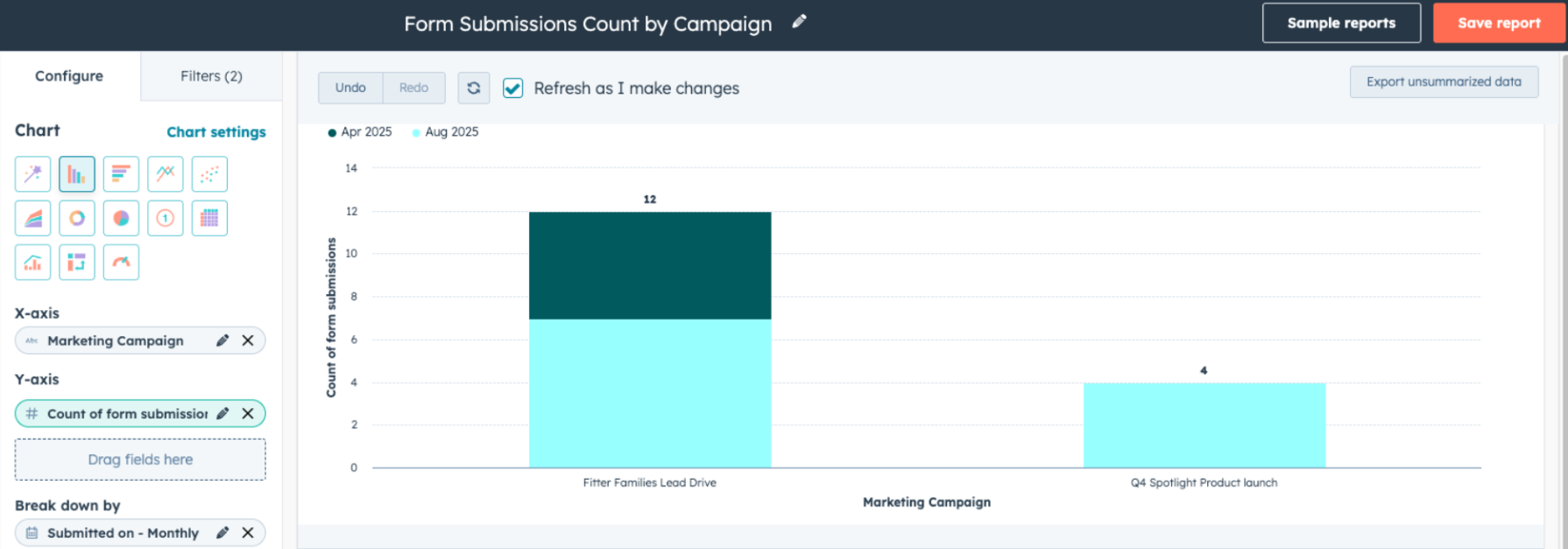
- Form submissions Count by Campaign
- Data Sources to Select: Form Submissions, Forms
- Properties to select:
- X-axis : Marketing Campaign (from Forms data source)
- Y-axis : Count of form submissions
- Break down by: Submitted on (from Form Submissions data source)
TikTok Integration for Social
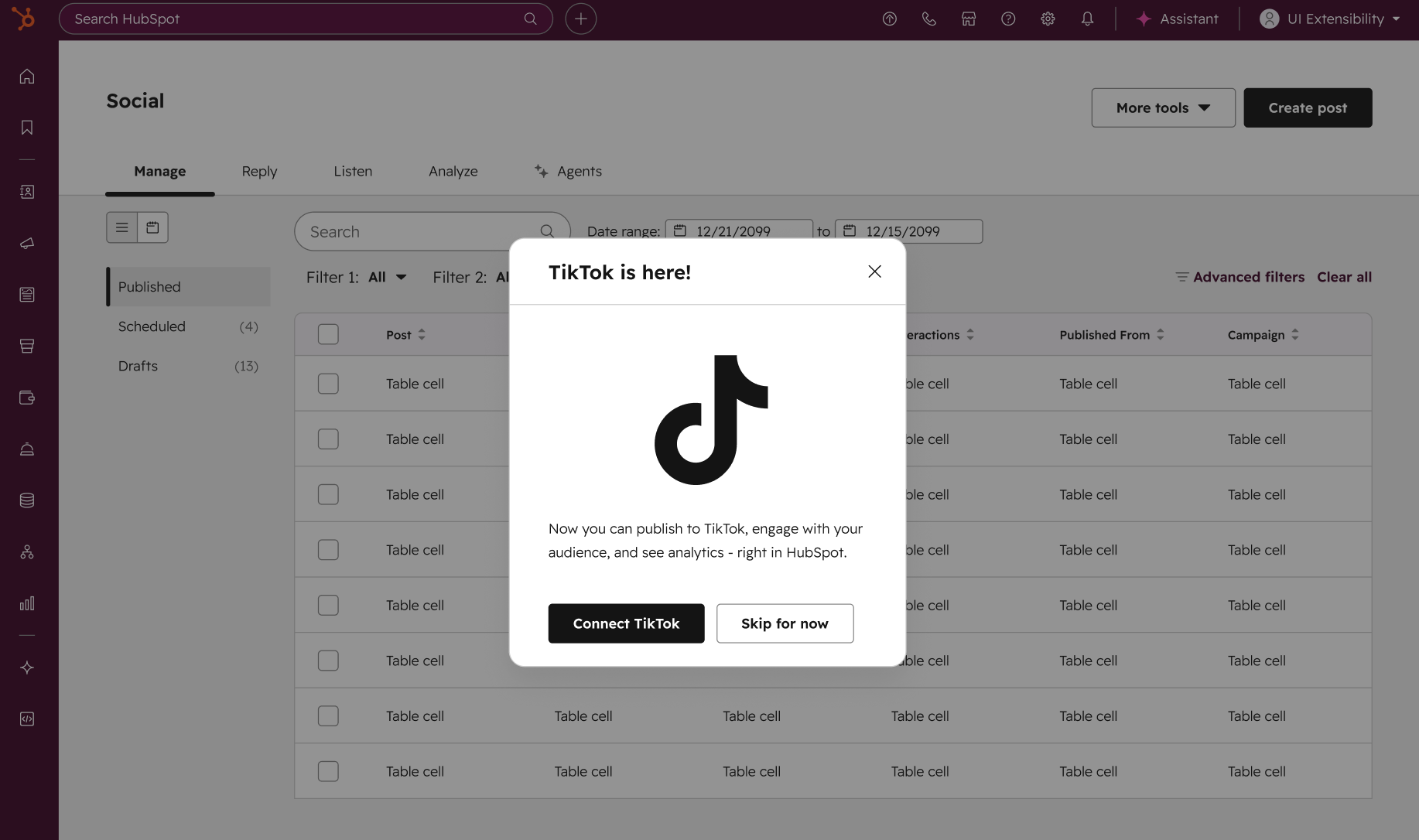
You can now connect TikTok accounts to HubSpot to draft, schedule, and publish TikTok videos, monitor and reply to comments on your posts and mentions of your account by others, and analyze TikTok organic social performance.
TikTok continues to grow as an influential social network, enabling your business to stay competitive, build brand awareness, and reach new audiences. Bringing TikTok publishing, replying, and reporting into HubSpot enables you to manage your social presence across networks in one unified platform.
How does it work?
Connect your TikTok accounts to HubSpot to:
- Publish TikTok videos: Select from your HubSpot video library or upload videos to draft your post, then schedule, approve, and publish to TikTok
- Monitor and reply to TikTok comments and mentions: Get notified and see comments made on your posts or @mentions of your TikTok accounts and send replies from your Social Reply inbox, plus create or associate social accounts as CRM Contacts
- Analyze TikTok account and post performance metrics: See how your TikTok accounts and posts are performing, compare to other networks, and get insights for evolving your strategy
Don’t Miss The Recording: Email Marketing Webinar with ZeroBounce
We recently teamed up with ZeroBounce for a webinar packed with insights on how to keep your email list clean, boost deliverability, and supercharge your campaigns. If you're looking to hit more inboxes, drive more engagement, and get the most from all the great HubSpot email tools we’ve been talking about, this is the session for you. Catch the recording of AI is Loud. Email is Louder. 7 Tactics That Drive Results for 2026.