 Orange Marketing
.png)
HubSpot keeps finding new ways to make everyday work a little easier. Here’s what caught our attention this week:
Here are the most notable updates for the week of August 10, 2026:
- Reddit Ads Integration,
- Workforce Management in Help Desk, and
- Tax Registration Obligation Monitoring.
Reddit Ads Integration
You can now connect your Reddit Ads account to HubSpot to view Reddit ad reporting, attribution, and workflow enrollment alongside your other ad channels.
Why does it matter?
If you're advertising on Reddit, you previously had no way to see that spend alongside your other channels, tie it to contacts and deals, or use it to trigger follow-up in HubSpot. This integration brings Reddit into the same ads workflow you already use for other networks.
Connecting your Reddit Ads account to HubSpot will let you see all of your ads data in one place and tie your Reddit spend directly to contacts and deals, which isn't possible using Reddit Ads alone.
How does it work?
Connecting Your Reddit Ads Account
-
Navigate to Marketing > Ads.
-
Click the Settings gear in the top right, then click Connect account.
-
Select Reddit and follow the authentication flow to authorize HubSpot to access your Reddit Ads data. If you don't already have a Reddit Ads account, you can create one through HubSpot.
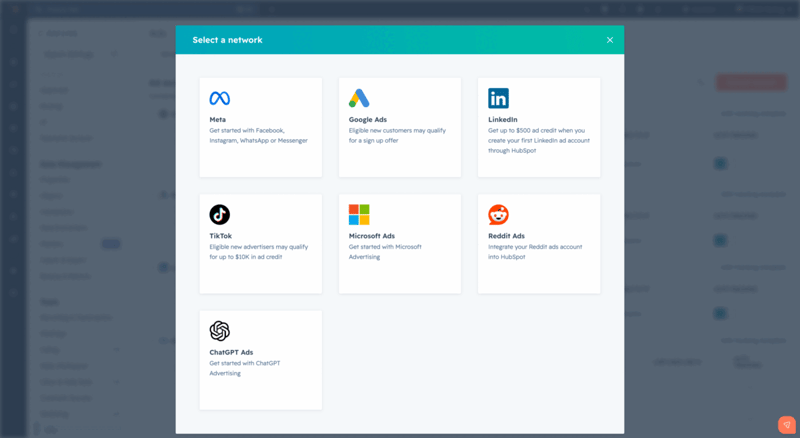
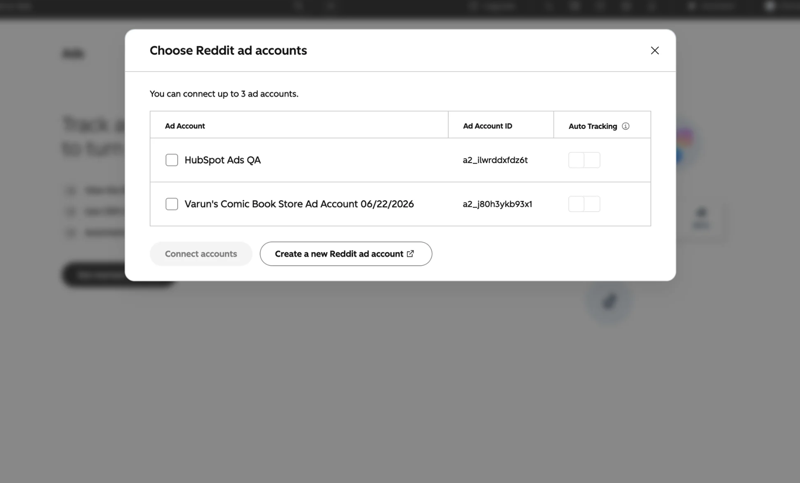
4. Once authenticated, select the Reddit Ads accounts you'd like to connect to HubSpot.
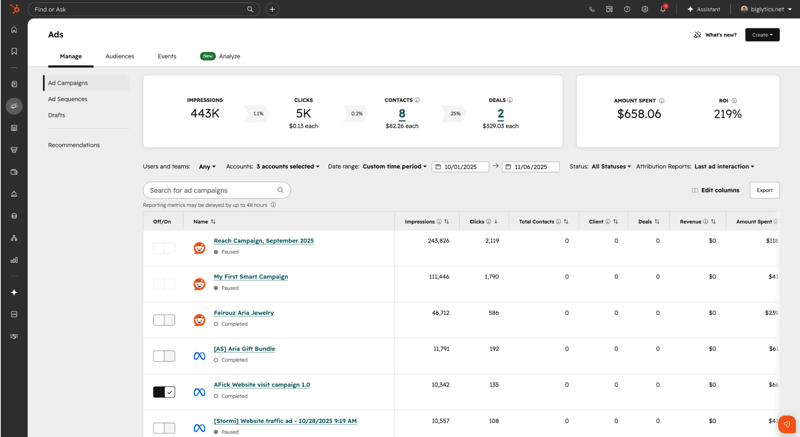
Once connected, your Reddit campaigns will automatically appear in the Manage and Analyze tabs alongside your other ad networks. Campaign, ad group, and ad-level reporting are available in the same places as for other networks.
Attribution
When you enable auto-tracking, HubSpot automatically appends UTM parameters to your Reddit ad URLs. This lets you see which contacts clicked your Reddit ads, how many deals resulted from those clicks, and your total Reddit ads ROI.
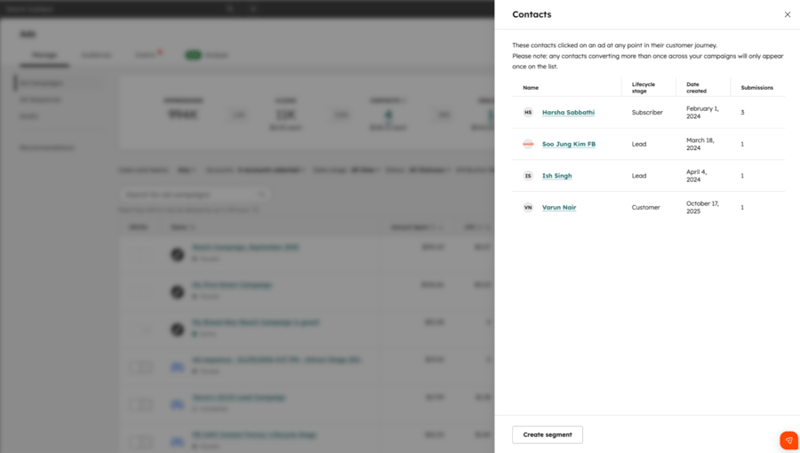
Workflow Enrollment
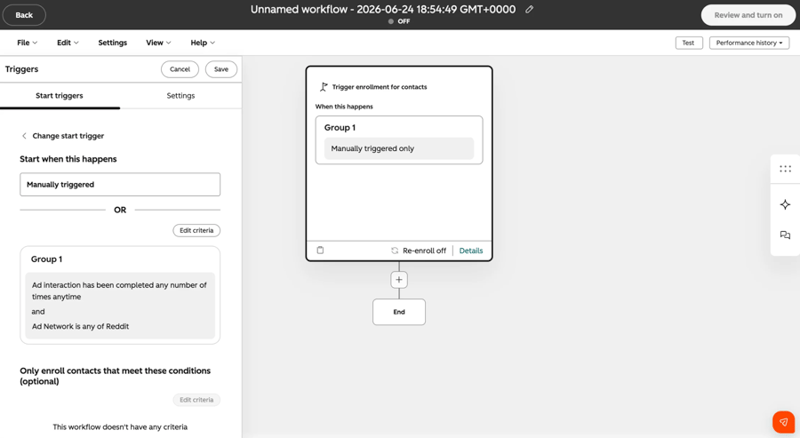
Contacts that interact with your Reddit ads can be automatically enrolled in HubSpot workflows, enabling immediate, personalized follow-up triggered directly by ad engagement.
Workforce Management in Help Desk
Workforce management is a new page in help desk that gives managers a centralized view to monitor and adjust team availability in real time.
Why does it matter?
As support teams grow (especially across time zones) it gets harder to track availability, identify coverage gaps, and make quick adjustments without jumping between tools. Workforce management brings these operations into help desk so you can act without switching context.
How does it work?
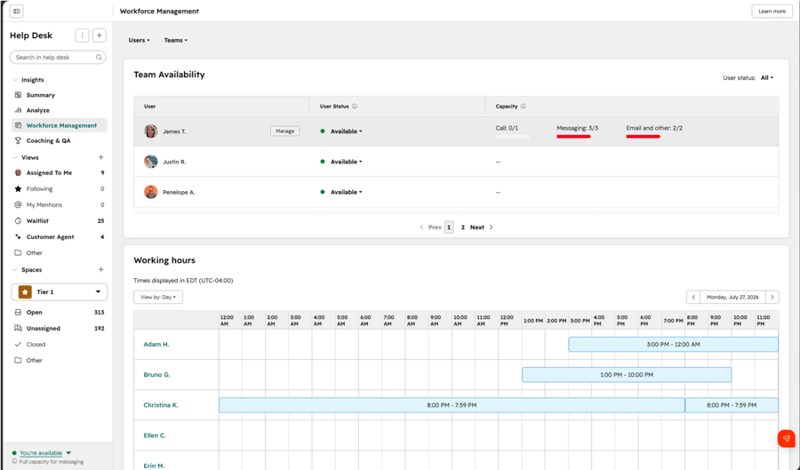
You can find Workforce Management in Help Desk beneath the Summary Tab, where it acts as your operational control center for team availability.
View team availability at a glance
See who is available, away, out of office, or at capacity — along with last active timestamps to understand real-time activity.
Filter and focus on the right teams
Use filters to quickly narrow down large teams and understand coverage in specific regions.
Make quick, intraday updates
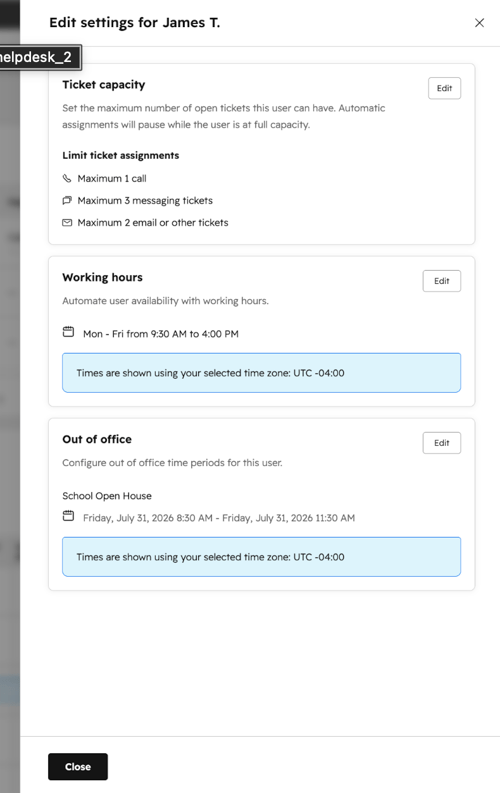
CX Managers can adjust another user's availability status, working hours, out-of-office time, and ticket capacity. Changes are reflected immediately, so you can adjust to real-time needs.
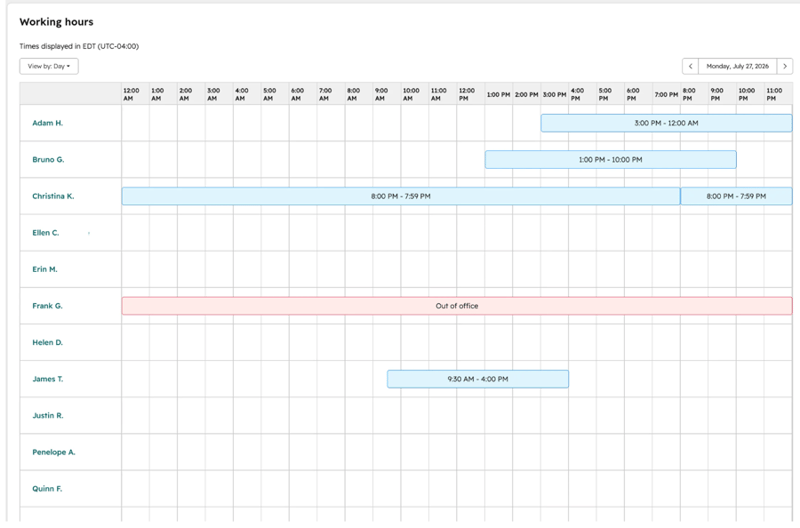
Use the schedule view to understand coverage
Visualize working hours across days and time zones to:
- Spot coverage gaps
- Plan shifts during high-volume periods
- Manage distributed teams more effectively
Day view
Week view
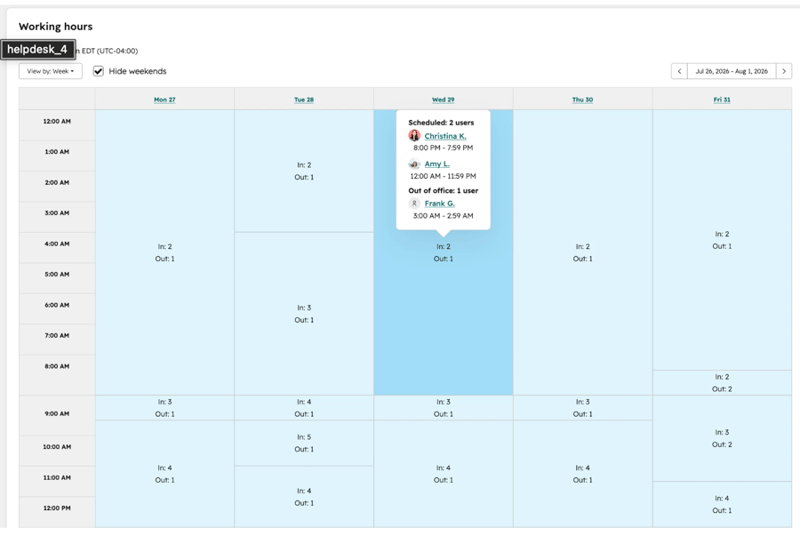
Note: Users with a Service Seat but without an admin permission can edit their own working hours, out-of-office settings, and availability status, but can't edit other users' settings or their own ticket capacity limits.
Tax Registration Obligation Monitoring
HubSpot now automatically monitors your cumulative revenue and transaction volume by U.S. state and Canadian province, and notifies you the moment you've crossed a sales tax threshold in a new jurisdiction so you know when to register. Once you've registered with the relevant tax authority and recorded the registration in HubSpot, Automated Sales Tax immediately begins calculating and collecting tax on subsequent transactions there.
Why does it matter?
Until now, Automated Sales Tax customers had to manually track whether they'd established a sales tax obligation (called "economic nexus") in each state or province they sell into. With thresholds varying widely by jurisdiction and revenue accumulating passively across quotes, invoices, payment links, and subscriptions, it was easy to miss a new tax registration obligation.
Tax threshold monitoring eliminates that guesswork so you can:
- Stay compliant without manually tracking thresholds across every jurisdiction
- Get notified by email and in HubSpot the moment you establish nexus in a new state or province
- Register with the relevant tax authority and start collecting tax without leaving HubSpot
How does it work?
To review your nexus status, go to Settings > Revenue > Tax > Automated Sales Tax. Here you can view a jurisdiction-by-jurisdiction view of your running totals and threshold proximity in the “Tax Threshold Monitoring” component.
When you cross a threshold in a new jurisdiction, you'll receive:
- An email notification alerting you that you've established nexus, with a direct link to your Tax Settings registration page
- An in-product bell notification in HubSpot
Once you've registered with the relevant tax authority, mark the jurisdiction as registered in HubSpot in Automated Sales Tax > Manage tax settings. From that point forward, Automated Sales Tax automatically calculates and collects tax on new transactions in that jurisdiction.
Better Tools Still Need Better Deliverability
HubSpot can make it easier to manage campaigns, automate follow-up, and act on customer data. But none of that helps if the marketing emails you send never make it to the inbox.
That’s why we’re teaming up with ZeroBounce for Inbox Denied: What’s Really Blocking Your B2B Email and How to Fix It, a live Q&A focused on the deliverability problems B2B marketers often don’t see until performance starts slipping.
Bring your questions and join us on August 27 at 10 AM PT / 1 PM ET. ➤ REGISTER FOR THE LIVE SESSION
