 Orange Marketing
If you thought the “traffic apocalypse” we walked your through last was bad, Gmail just handed every B2B marketer a fresh new headache. If you’ve noticed your Gmail numbers tanking last month, here's why. November came with a deliverability shakeup that knocked some senders back as much as 50 percent overnight. Google quietly tightened its filters, and suddenly every marketer’s most reliable channel got a whole lot less predictable.
The impacts are being felt in Google Workspace, Microsoft, and premium SMTP services. Even well-configured domains aren’t immune.
Quick shout out to Dr. Jay Feldman and team who've been running ongoing tests to help surface what’s actually happening, and what’s still unclear.
Here’s what changed, why it matters, and what smart B2B marketers should do now.
What Actually Happened: Google Tightened the Filters
Two major forces collided in November:
1. Gmail’s Enforcement Wave Finally Hit
Gmail has been warning us since early 2024 that stricter policies were coming. November 2025 is when enforcement got real.
If you send more than 5,000 emails per day to Gmail, you now must have:
- SPF + DKIM (required for all senders)
- DMARC (required for bulk senders)
- Spam complaint rates under 0.10 percent
- One-click unsubscribe processed within 48 hours
Miss one requirement and Gmail can slow, filter, or block your emails.
2. Gmail’s Filtering Systems Appear to Be Sweeping Wider
Based on field testing across cold email communities, Google’s systems seem to be flagging patterns that used to slip through.
Nothing is fully confirmed yet, but senders are suspecting that Gmail is currently more sensitive to:
- Repetitive or identical email copy
- Promotional or salesy wording
- Possible “fingerprints” created by shared tracking domains
- Unsubscribe formats that resemble bulk-sender templates
What we do know is that even legitimate senders with proper DNS setups are seeing Gmail get more aggressive than usual, likely tied to the seasonal spike in spam and promotions.
Importantly: Engaged, permission-based senders are seeing far less severe impact. Cold emailers and new domains are seeing the biggest hit.
Promotions Tab: Relevance Now Beats Recency
Gmail also rolled out “Most Relevant” sorting in the Promotions tab.
Translation:
- Low engagement = lower placement
- Batch-and-blast newsletters = buried
- Stale segments = ghosted
The Promotions tab now behaves more like TikTok: if the recipient doesn’t interact, Gmail deprioritizes you.
Transactional Emails Got Their Own Lane
 Late this year, Gmail introduced a new “Purchases” view that groups receipts, confirmations, and updates.
The rule is simple: Keep transactional emails purely transactional.
- No promos
- No upsells
- No “while you’re here” links
Otherwise Gmail may classify them as marketing and move them.
So What Should B2B Marketers Do Now?
We spend A LOT of time in clients' email and follow top email gurus, such as Jay Schwedelson...and if you're not following him that's a must, must, must! So, here’s your Orange-Marketing-approved plan:
1. Fix Your Authentication
SPF, DKIM, DMARC. No exceptions. No guessing. No skipping.
2. Clean Out Your Lists
Engagement signals now drive tab ranking and inbox placement. Dead contacts drag you down.
3. Send Less, Send Better
If Gmail is prioritizing relevance, you must:
- Segment aggressively
- Personalize meaningfully
- Reduce sends to cold audiences
- Raise value for warm ones
Quality beats volume every time.
4. Give People an Easy Out
Gmail requires one-click unsubscribe for bulk senders.
But here’s the nuance: Some cold emailers have seen certain unsubscribe formats trigger spam filters. So if you’re doing cold email, review your implementation to avoid bulk-template patterns.
5. Keep Transactional Emails Pure
If you need to promote something, send a separate marketing email.
6. If You’re Doing Cold Outreach and Seeing 0% Gmail Inbox Rates
Some cold emailers, especially those using new domains, are temporarily excluding Gmail leads until filters relax.
This is not a recommendation for permission-based marketing lists. It only applies to cold campaigns that have completely dropped off.
Staying Visible in Gmail
Gmail’s November move wasn’t random. It pushed harder on:
- Authentication
- Consent
- Engagement
- Sending patterns
- Domain behavior
The smartest response now is tightening your technical setup, improving engagement, refining segmentation, and understanding how inbox providers score your messages.
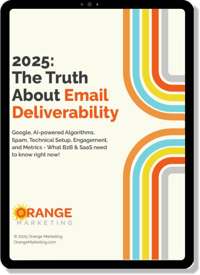 If you want the deeper playbook behind all of this, grab our new ebook, 2025: The Truth About Email Deliverability. It breaks down:
- What Google actually wants (SPF, DKIM, DMARC, consent, unsub rules)
- How AI-powered filtering appears to impact content and patterns
- Spam triggers that quietly tank deliverability
- Engagement signals that determine Promotions tab ranking
- Metrics that matter for staying out of spam in 2025
If this Gmail update made your email performance wobble, this guide will steady the ship.
👉 Download the ebook and get ahead of the next deliverability shakeup.
